# Delete an invoice
> Learn how to permanently remove a draft invoice that is no longer needed.
Source: https://support.caspen.com/billing/invoices/delete-an-invoice
Documentation index: https://support.caspen.com/llms.txt
## Overview
You can delete invoices that are in **Draft** status.\
Deleting an invoice permanently removes it from your records and **cannot be undone**.
If the invoice is linked to a calendar event (such as an appointment or activity), deleting it will unlink it and remove it from that event.\
Once deleted, you can create and attach a new invoice if needed.
---
## Before you delete an invoice
- Only **Draft** invoices can be deleted.
- Once deleted, an invoice **cannot be recovered**.
- If an invoice is Finalized (Open or Paid), you must first **revert it** **to Draft** before deleting.
- Deleting invoices is permanent and should only be used for records created in error or during testing.
- For issued invoices that need to be canceled, see [Void an invoice](https://support.caspen.com/billing/invoices/void-an-invoice).
---
## To delete an invoice
1. Go to **Billing** → **Invoices**.
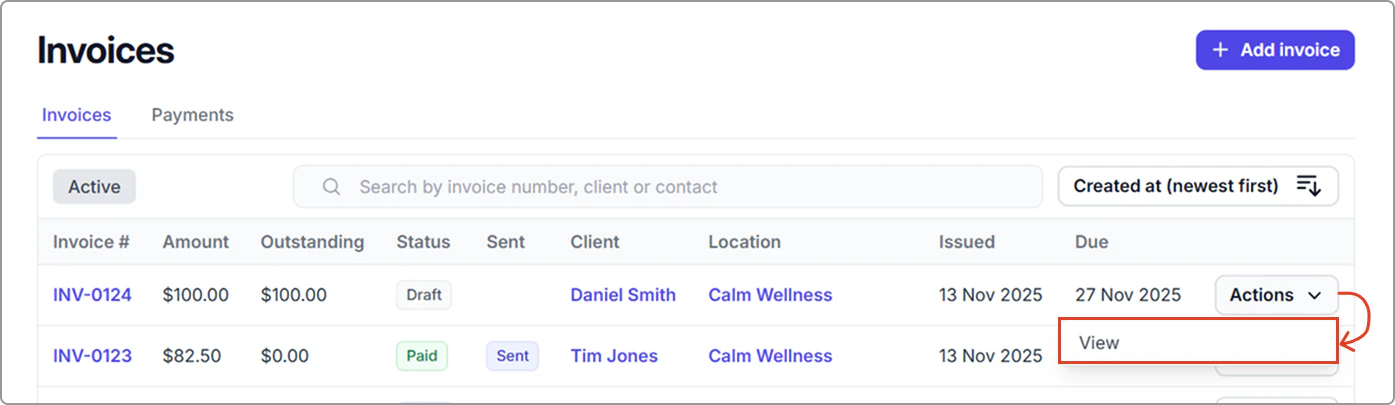
2. Open the invoice (**Actions** → **View**, or click the invoice number).
3. Ensure the invoice is in Draft status. If it has a status of finalized, you must revert it to Draft before deleting it (see Revert an invoice to Draft).
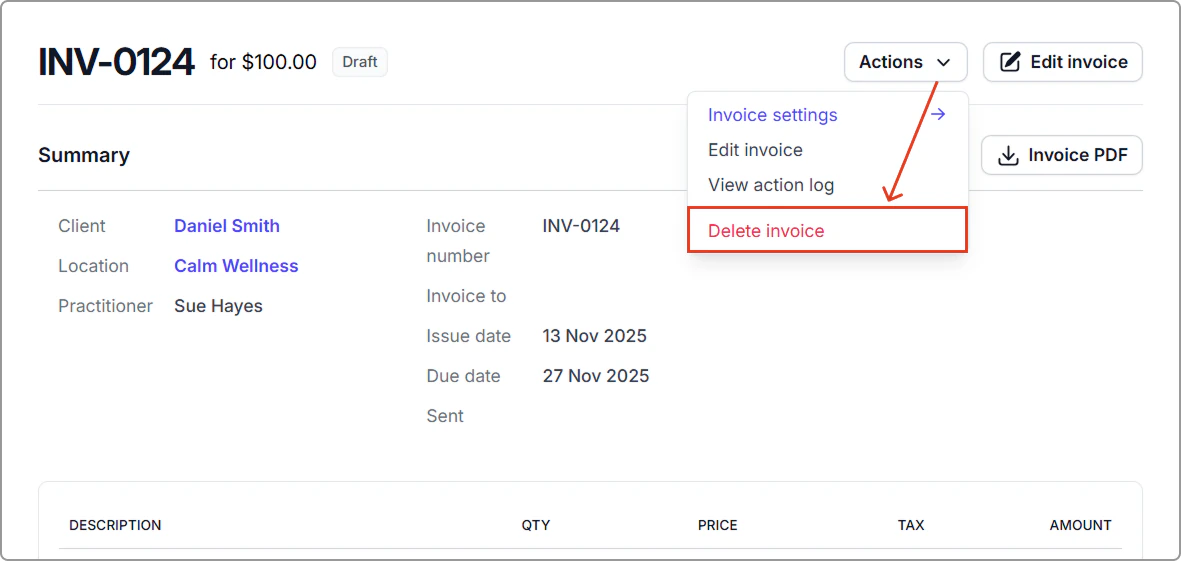
4. Click **Actions → Delete invoice**.
**What happens after you delete an invoice**
- The invoice is permanently removed from your billing records.
- If linked to a calendar event, it will be unlinked and removed from the event details.
- You can create a new invoice for the event or client if required.
---
## Revert an invoice to Draft
If an invoice is finalized, you can revert it to Draft before deleting it.
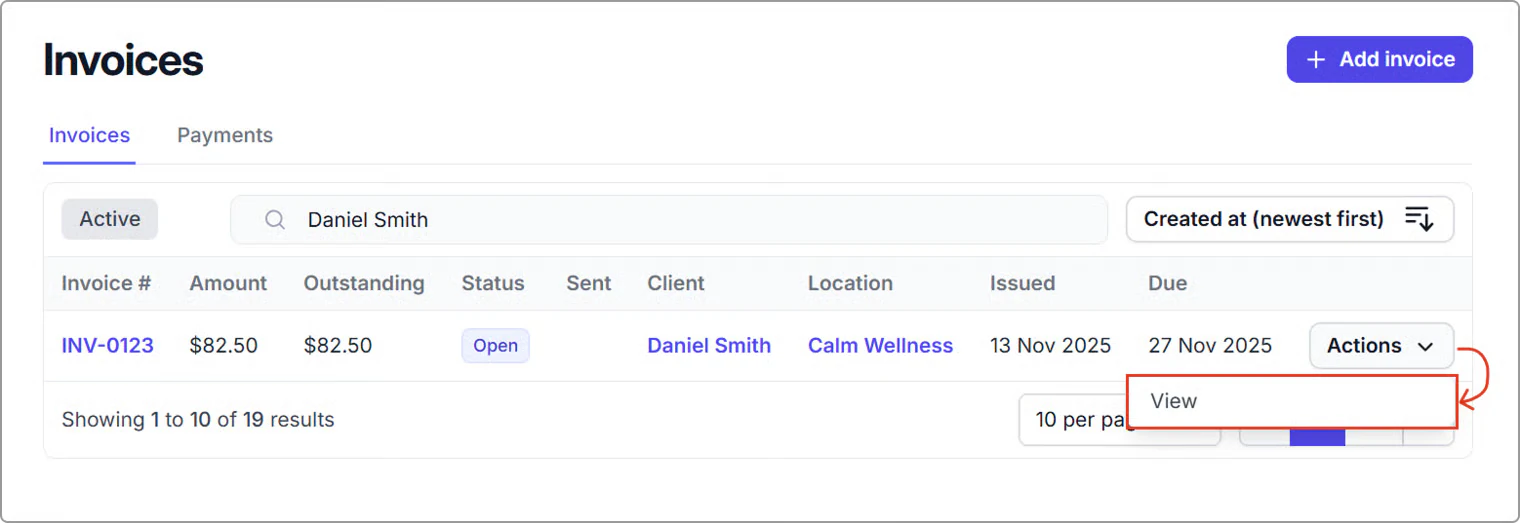
1. Go to **Billing** → **Invoices** and open the invoice (**Actions** → **View**, or click the invoice number).
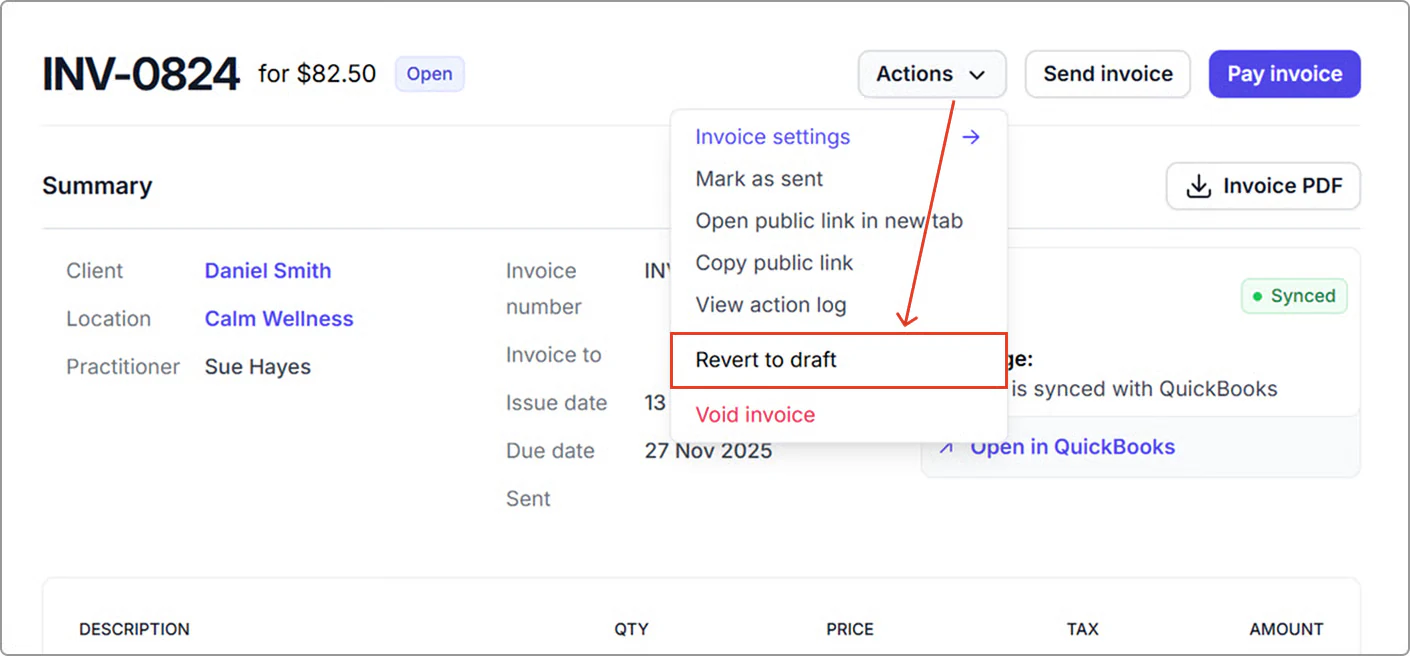
2. Click **Actions → Revert to draft**.
3. Once reverted, follow the steps under **To delete an invoice**.
> **Info:**
>
> If the invoice has payments or credit notes applied, you will need to unlink or void those transactions first before reverting. This ensures your financial records and reports remain accurate.
---
## Handling linked payments and credit notes
If the invoice has payments or credit notes applied, remove or void them before reverting an invoice to Draft.
#### Payments
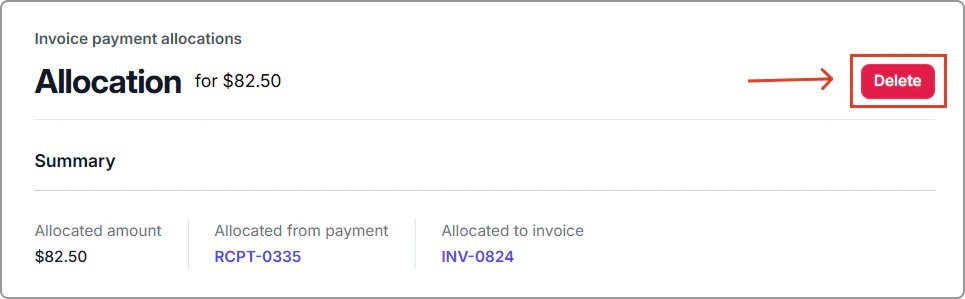
1. Click the **payment allocation link** on the invoice.
2. Select **Delete** to unlink the payment.
You can then locate the payment record separately and choose to **refund, void, or reapply** it to another invoice if needed.
#### Credit notes
If a credit note is attached, it must be **voided** before the invoice can be reverted or deleted.
1. Open the credit note by clicking the **credit note number**.
2. Click on **Actions** (top-right) → **Void credit note**, and confirm.
---
## Frequently asked questions
Can I delete a finalized invoice?
No. Only invoices in **Draft** status can be deleted.\
Your options include reverting the invoice to **Draft** (as outlined above) or voiding it instead. See **Void an invoice** guide.
What happens if I delete an invoice linked to a calendar event?
The invoice is unlinked and removed from the event. You’ll be able to add a new invoice to the event if needed.
Can I recover a deleted invoice?
No. Deleted invoices are permanently removed and cannot be restored.