# Add a credit note
> Learn how to issue a credit note to adjust or reduce an invoice amount in Caspen.
Source: https://support.caspen.com/billing/payments/add-a-credit-note
Documentation index: https://support.caspen.com/llms.txt
## Overview
A credit note is issued when you need to reduce the amount due on a specific invoice.\
Typical reasons include correcting an error, removing a line item, or applying a goodwill adjustment.
A credit note updates the _selected invoice only_. It does **not** create general account credit for later use.
You can only create a credit note for invoices that are **not fully paid**.
> **Warning:**
>
> **Important:** Once a credit note is associated with an invoice, that invoice can no longer be edited. To make further changes, you will need to void the credit note.
---
## How to issue a credit note
1. Open the invoice from the client profile or **Billing** → **Invoices**.
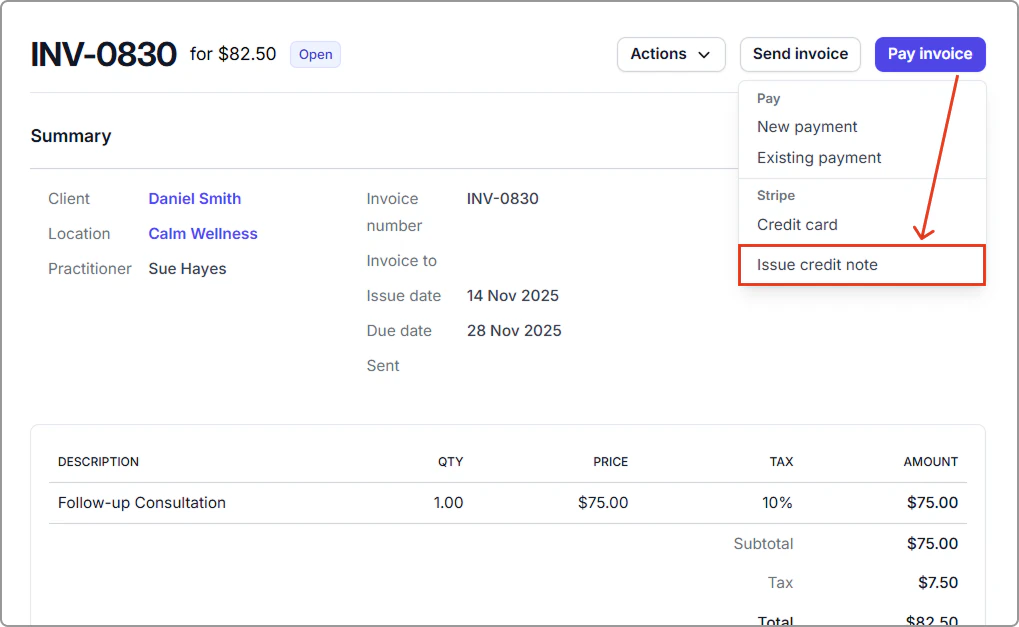
2. Click **Pay invoice** → **Issue credit note**.
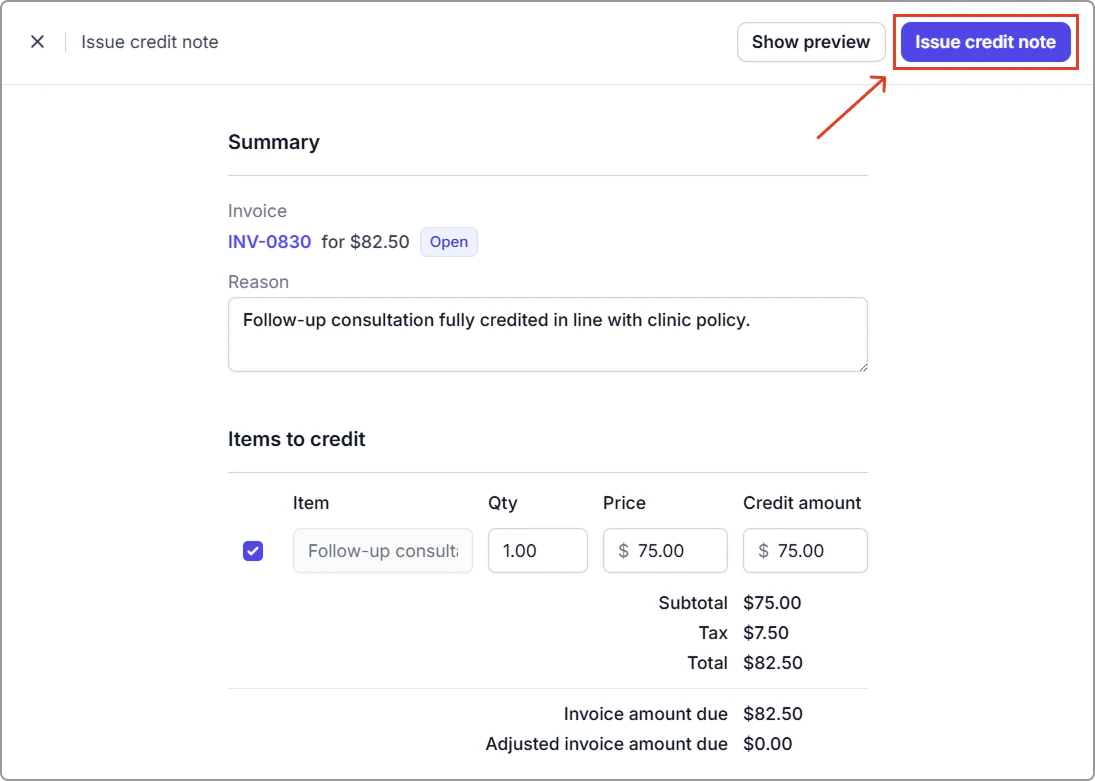
3. Enter a clear **Reason**.
4. Under **Items to credit**, select the lines and adjust quantities or amounts as needed.
5. Click **Issue credit note**.
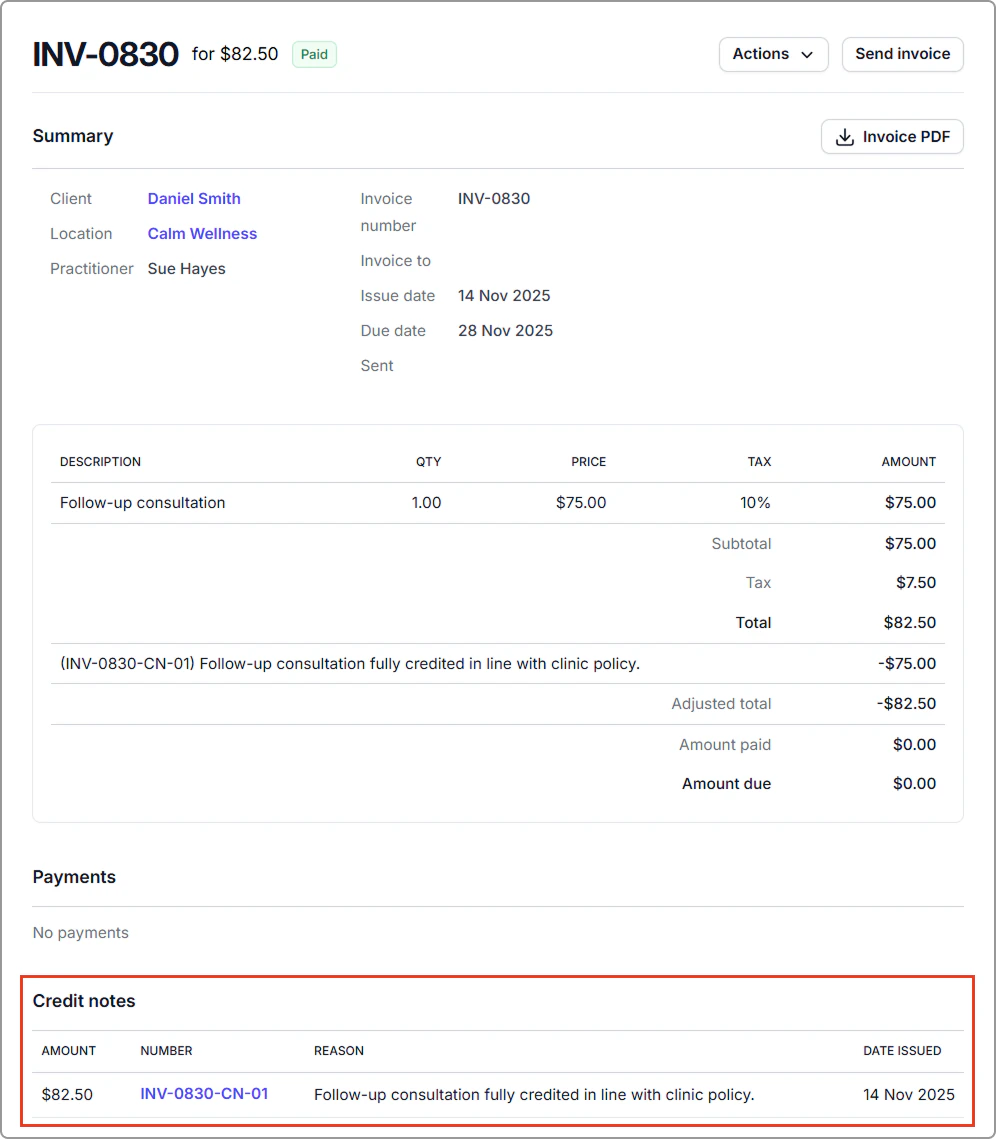
The invoice balance is reduced immediately, and the credit note is listed on the invoice (as shown below).
---
#### Tax and accounting
- With **tax exclusive** settings, tax is calculated on the credited amount after the credit note is issued.
- With **tax inclusive** settings, the amount you enter already includes the tax portion.
---
#### Integrations
- With **Xero** connected, Caspen creates a matching credit note in Xero.
- With **QuickBooks** connected, Caspen creates a matching credit note (listed as an “**Adjustment Note**” in QuickBooks) in QuickBooks.
---
## Frequently asked questions
Can I issue a credit note for a fully paid invoice?
No. The invoice must have an outstanding balance.
If the invoice is fully paid, you’ll need to **unlink or delete the payment first** to make the invoice editable.
Note: Always check your accounting or compliance requirements before adjusting paid invoices.
Can I edit an invoice after I apply a credit note?
No. Once a credit note is linked, the invoice is locked.
If you need to make changes:
- **Invoice not fully paid:** Void the credit note, revert the invoice to draft, make your edits, then reissue the credit note if needed.
- **Invoice fully paid:** You cannot void the credit note on a fully paid invoice.