# Cancel an appointment
> Learn how to cancel an appointment in your calendar.
Source: https://support.caspen.com/calendar/appointments/cancel-an-appointment
Documentation index: https://support.caspen.com/llms.txt
> **Info:**
>
> **Hint:** Past appointments can’t be marked Canceled. Mark them Missed instead.
## How to cancel an appointment
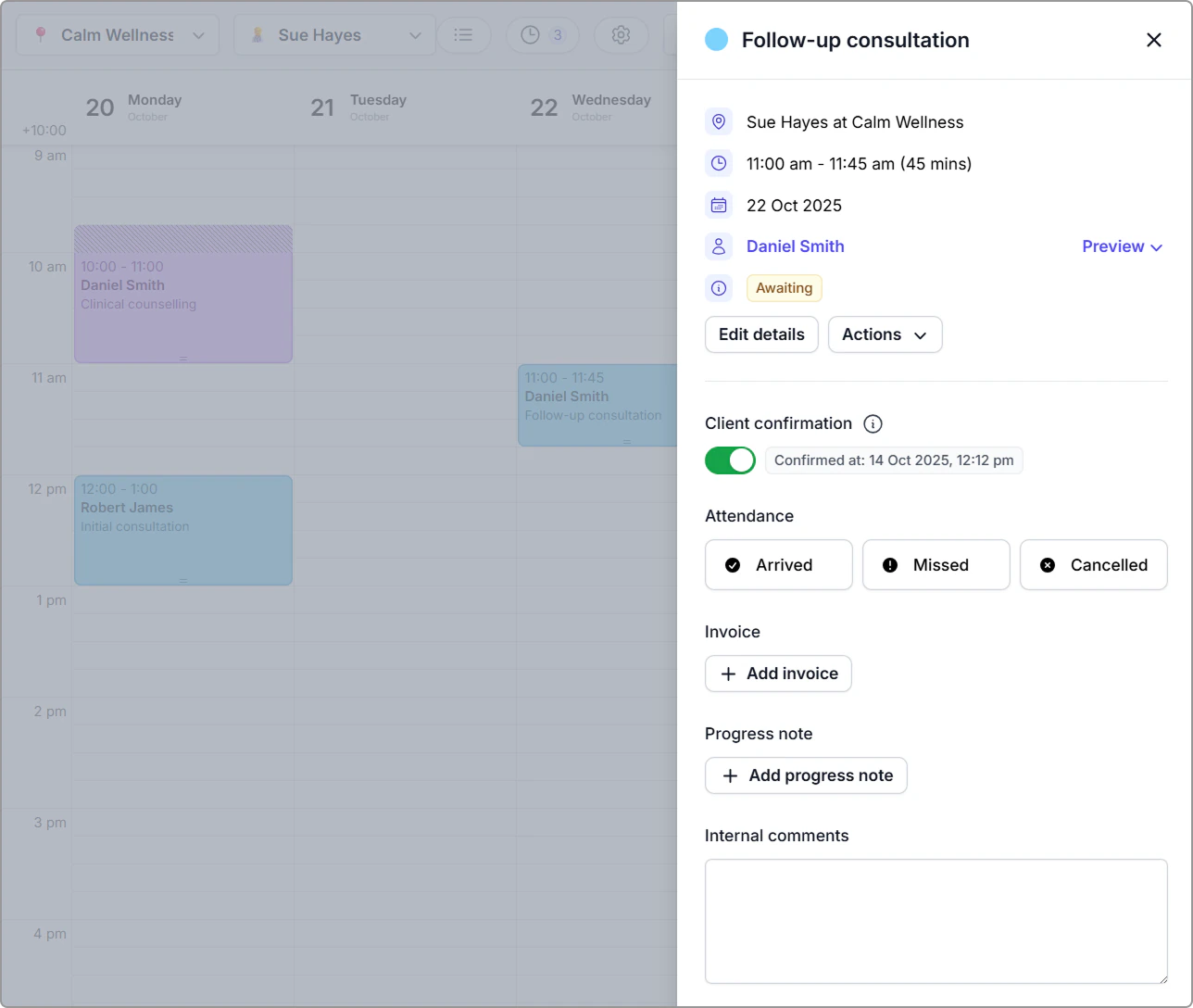
1. Click the appointment in the **Calendar** to open the info panel.
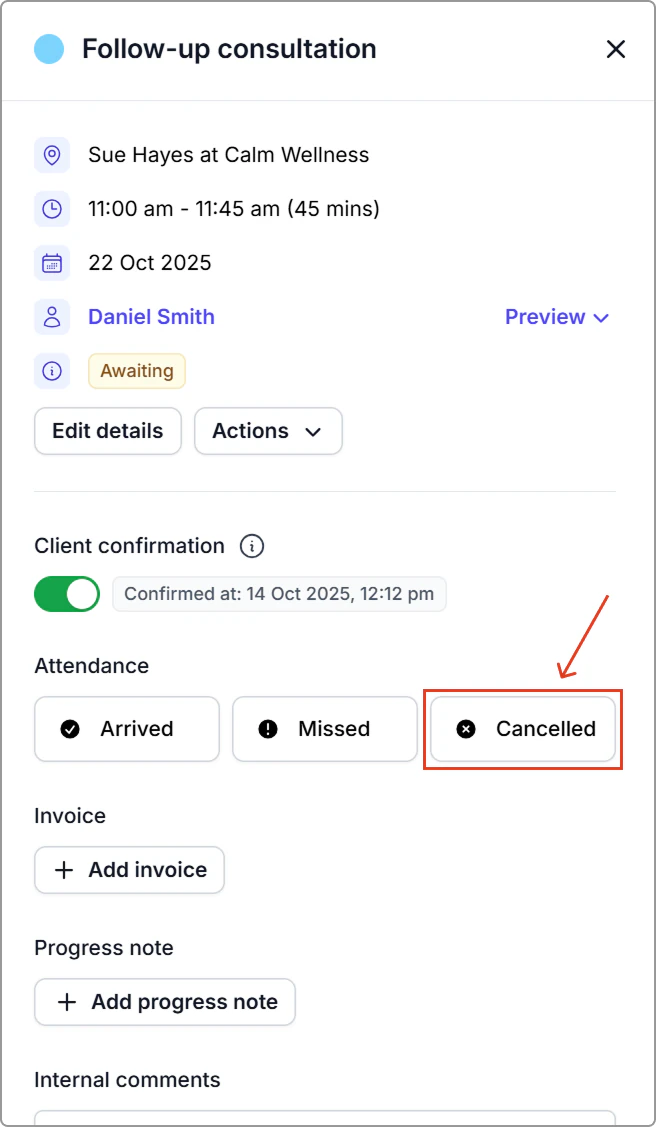
2. Under **Attendance**, click **Canceled** to open the Cancel appointment window.
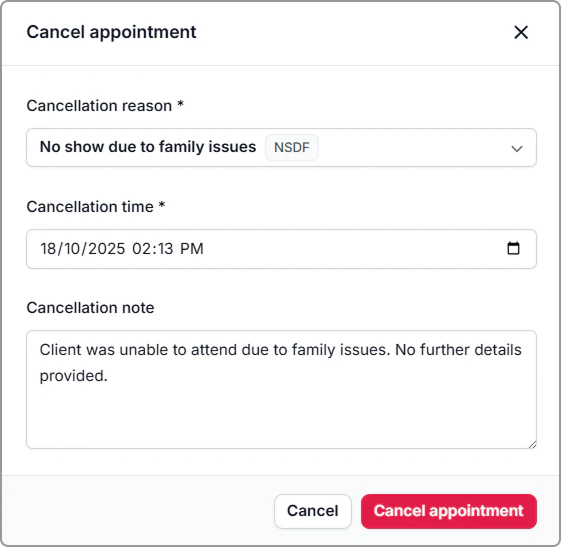
3. Complete the fields:
1. **Cancellation reason**
2. **Cancellation time**
3. **Cancellation note** _(optional)_
4. **Repeating group** _(shown for repeating appointments only)_ — Turn **On** to also cancel future appointments in the series. Leave **Off** to cancel only this appointment.
4. Click **Cancel appointment** to confirm.
**What you’ll see**
- The appointment is removed from the calendar, freeing the time for new bookings.
- Any rooms or resources linked to the appointment become available again.
**Notifications**
- Client messages follow your **notification settings**.
- If cancelation notifications are enabled, canceling an appointment sends a **canceled** message to the client.
## Find Canceled appointments
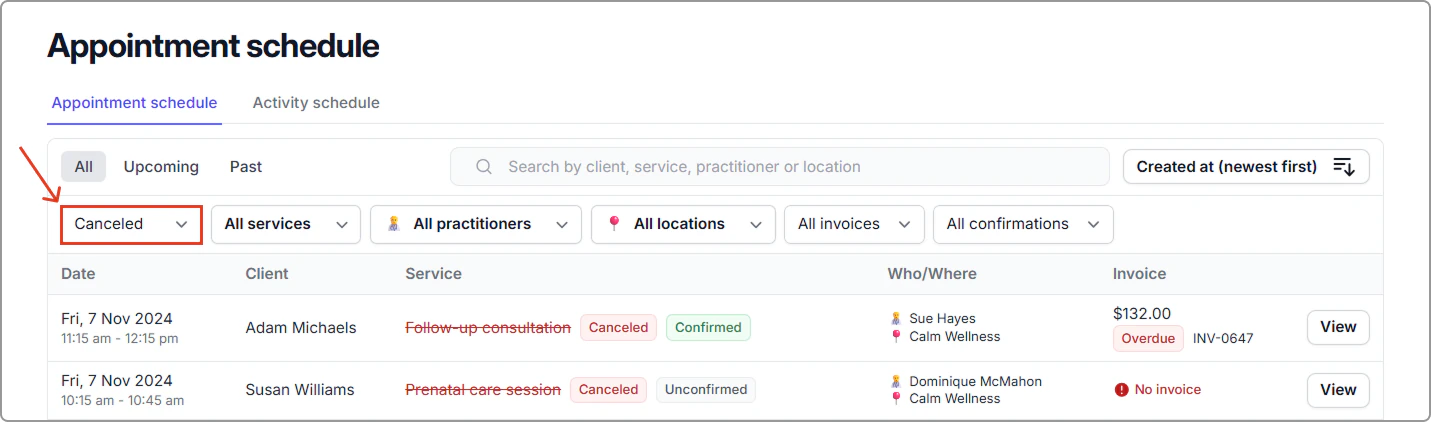
You can view canceled appointments in **Schedule** (left-hand menu).\
Filter **Status** → **Canceled** to see all cancelled bookings.
> **Tip:**
>
> Click **View** on any row to open the appointment information panel.\
> For details on adding invoices see [Schedule](https://support.caspen.com/schedule).
## Frequently asked questions
Can I customize the cancellation reasons?
Yes. Go to **Settings** → **Cancellation reasons** to **add**, **edit**, **archive**, or **unarchive** reasons.