# Create a repeat appointment
> Learn how to create recurring appointments from the calendar.
Source: https://support.caspen.com/calendar/appointments/create-a-repeat-appointment
Documentation index: https://support.caspen.com/llms.txt
## How to create a repeat appointment
If you often book the same service at the same time, use Repeat to create a short series, then adjust individual occurrences as needed.
1. Open **Calendar** and set the **location** (clinic/practice) and then a **practitioner**.
2. Click a time slot, then choose **Appointment**.
3. Enter the appointment details.
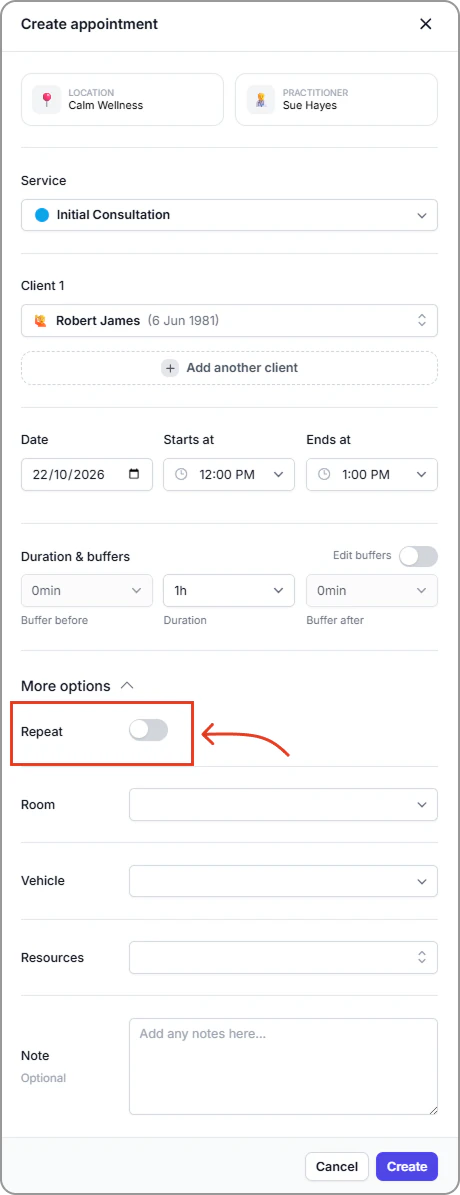
4. Open **More options,** toggle **Repeat On.**
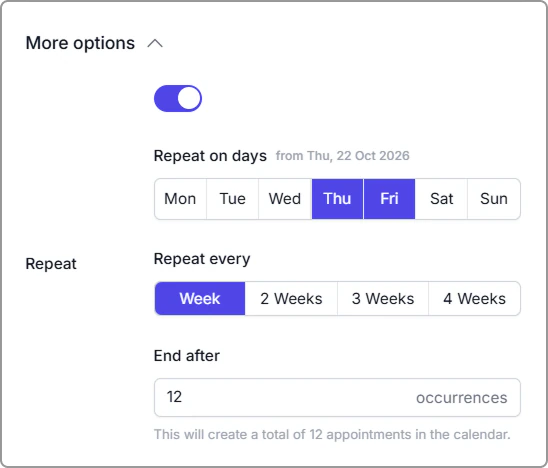
5. Enter the repeat details.
- **Repeat on days:** Select the weekdays you want.
- **Repeat every:** Choose **Week**, **2 weeks**, **3 weeks**, or **4 weeks**.\
This sets how often the appointments repeat, **not** the appointment duration. For example, **2 weeks** creates appointments on the selected days every second week.
- **End after:** Enter the number of occurrences (how many appointments to create).
6. Review details, then click **Create appointment**.
**Notes**
- The helper note under **End after** shows how many appointments will be added.
- Each appointment in the series appears in your calendar. Edit or cancel any one as needed.
- If a clash occurs when booking a repeating appointment, Caspen will show the conflicts and let you skip them, or you can exit, reschedule the clashes, and then create the series.
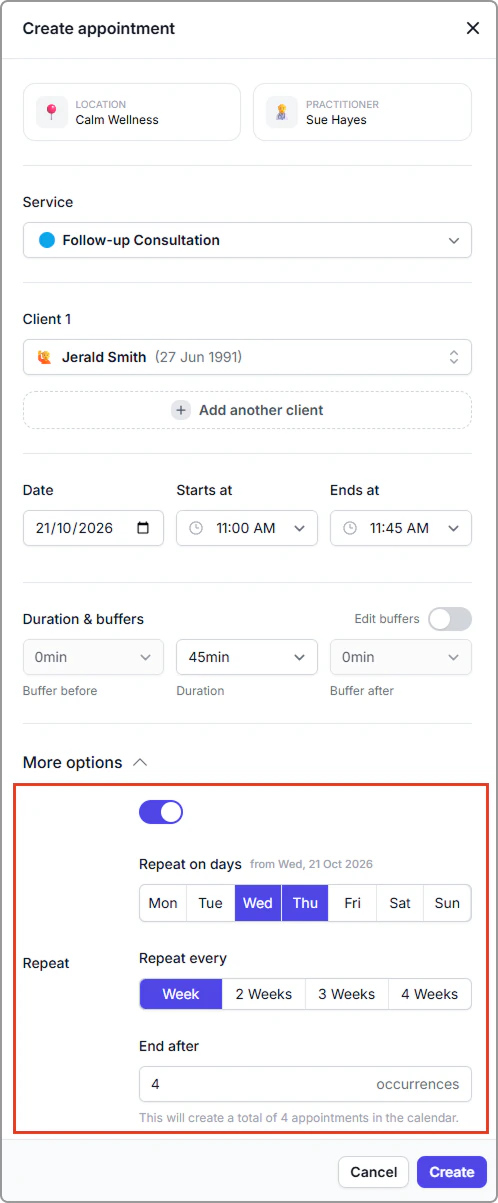
Example: Create four appointments across two weeks on Wednesday and Thursday
**Repeat on days:** Wed and Thu
**Repeat every:** Week
**End after:** 4\
This creates weekly appointments on Wed and Thu in Week 1, and Wed and Thu in Week 2 (4 appointments total).
If you select **Repeat every: 2 weeks**, appointments run every second week on the selected days. This creates appointments on Wed and Thu in Week 1, skips Week 2, then Wed and Thu in Week 3 (4 appointments total).