# Mark an appointment as missed
> Learn how to mark a missed appointment when a client is a no-show.
Source: https://support.caspen.com/calendar/appointments/mark-an-appointment-as-missed
Documentation index: https://support.caspen.com/llms.txt
> **Info:**
>
> **Hint:** Appointments can only be marked missed (no-shows) after the scheduled start time has passed.
>
> If a client tells you in advance that they will not attend, you can cancel the appointment instead.
## How to mark an appointment as missed
When a client does not arrive after the scheduled time you can mark the appointment as missed (no-show).
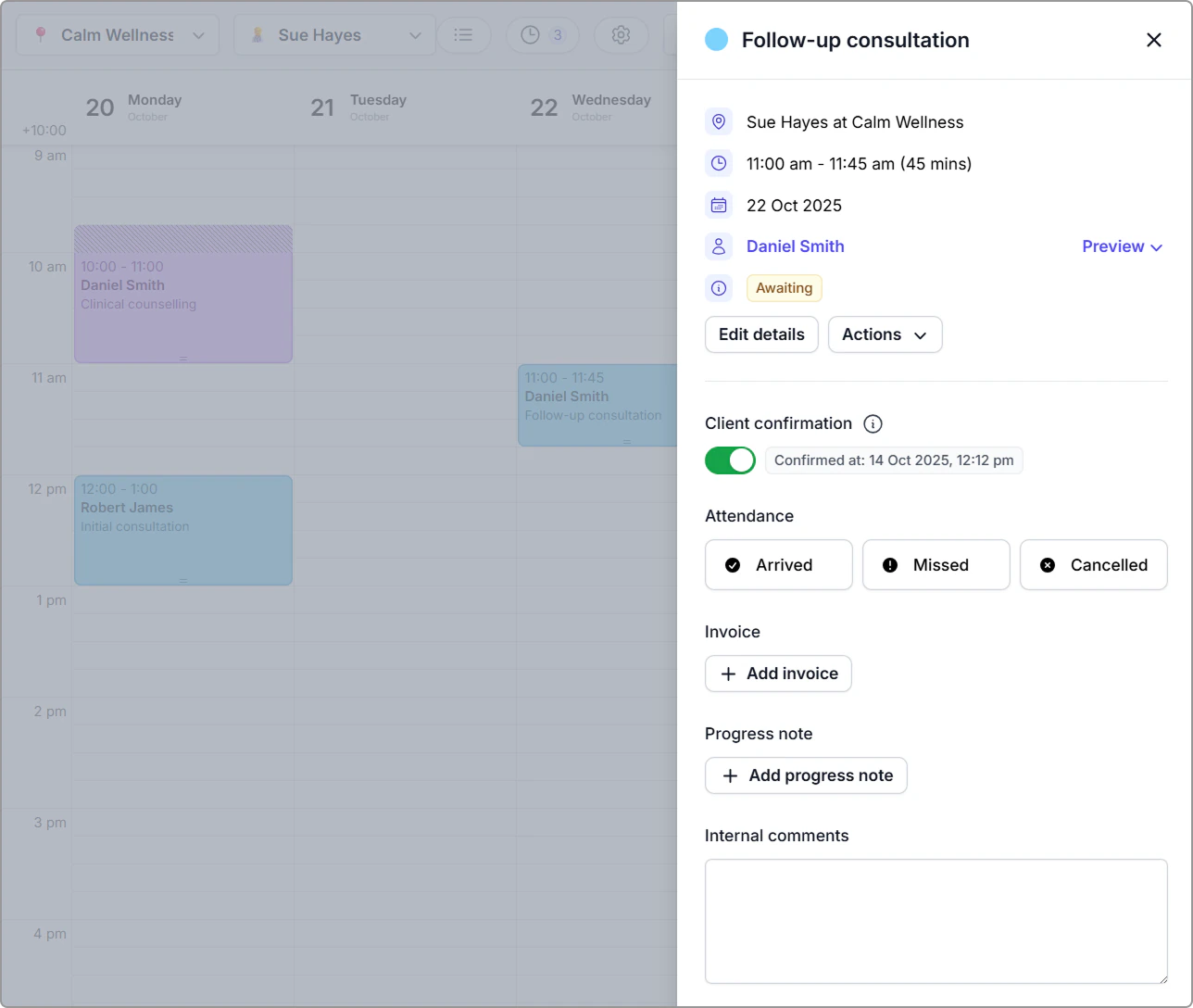
1. Click the appointment in your **Calendar** to open the information panel.
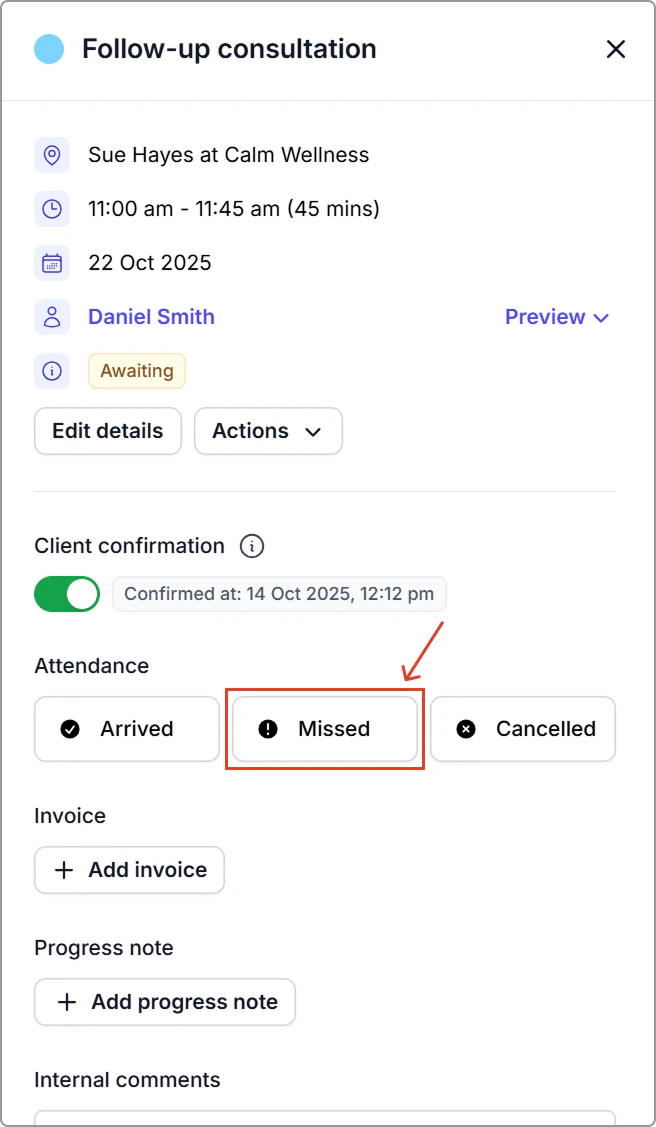
2. Under **Attendance**, click **Missed**.
**What you’ll see**
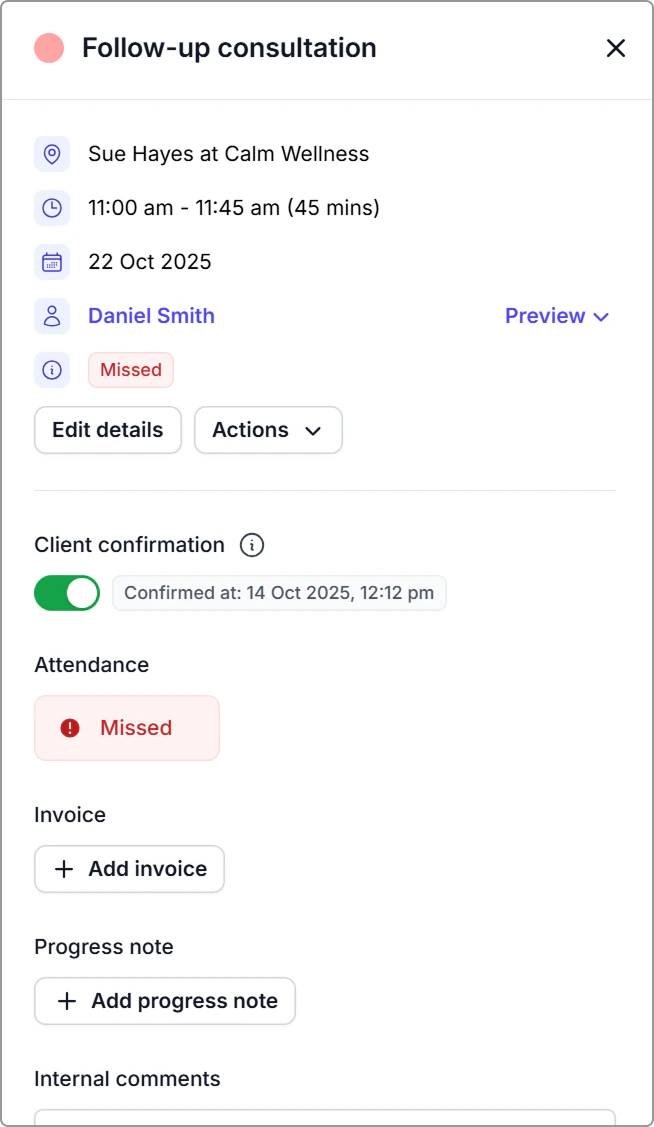
- The **Missed** status appears in the appointment information panel.
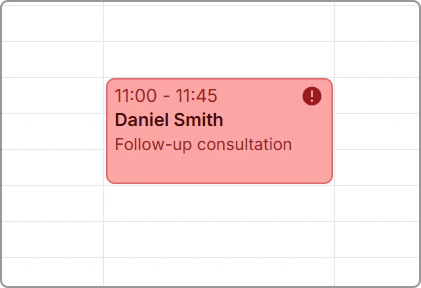
- The appointment colour appears **red** in your calendar with an **exclamation mark**.
Appointment information panel showing “Missed” status.
Missed appointment on the calendar (red with an exclamation-mark badge)
> **Info:**
>
> You can also find this booking by opening **Schedule** and filtering the **Status** dropdown to **Missed**. See [Schedule](https://support.caspen.com/schedule) for how to access and use the list view.
**Notes**
- Even when an appointment is marked missed, you can still link a progress note and invoice in line with your policy.
- Client notifications are not sent for no-shows.
- To change the status later, open the appointment, click the current **Missed** status under **Attendance**, and choose **Arrived** or **Canceled**.
## Frequently asked questions
Can I undo a missed status?
Yes. Click **Missed** under Attendance to reopen the status options, then select Arrived, Missed, or Canceled.
How can I track missed appointments?
Open the **Schedule** from the left main menu.\
Use the **Status** filter and select **Missed** to view a list of all missed appointments.\
You can also filter by **Canceled** if you want to review cancellations.
See [Schedule](https://support.caspen.com/schedule) for how to access and use the list view.