# Edit an activity
> Learn how to update an existing activity in Caspen.
Source: https://support.caspen.com/catalog/activities/edit-an-activity
Documentation index: https://support.caspen.com/llms.txt
## Edit an activity
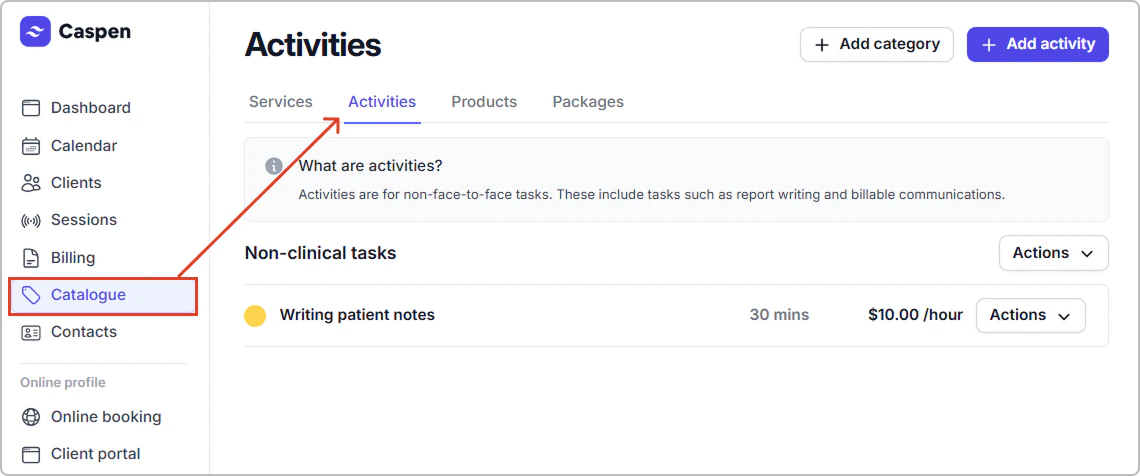
1. Go to **Catalog** → **Activities.**
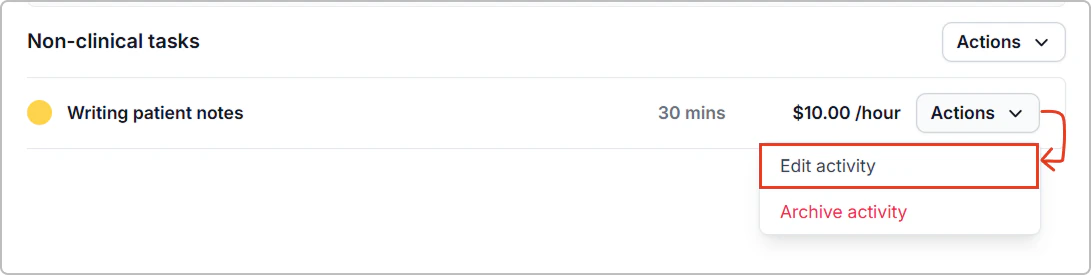
2. Find the activity, then click **Actions** → **Edit activity**.
3. Update the fields you need, then Click **Save**.
**After you save:**
- The activity is updated in your catalog with the new settings.
- New activity entries use the updated details.