# Archive a service
> Learn how to remove a service from active use.
Source: https://support.caspen.com/catalog/services/archive-a-service
Documentation index: https://support.caspen.com/llms.txt
## Archive a service
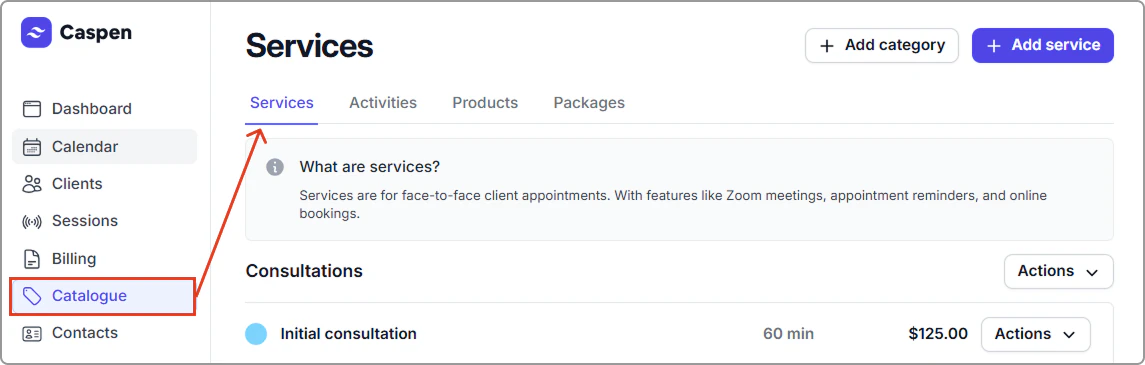
1. Go to **Catalogue** → **Services**.
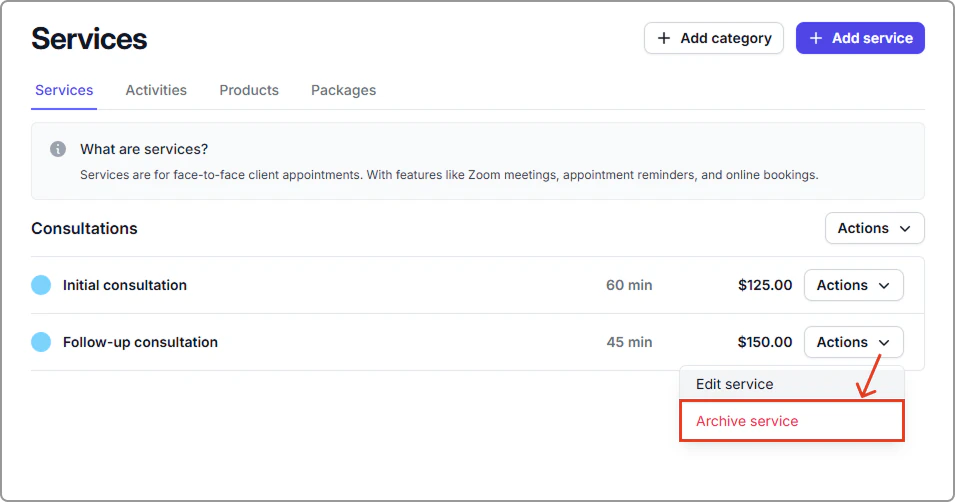
2. Find the service, then click **Actions** → **Archive service**.
**What happens next**
- The service is removed from the **Services** list.
- It no longer appears in search or selection menus.
- You cannot schedule new appointments with it or add it to new invoices.
- It is removed from online bookings.
- Existing appointments and past invoices stay as they are.