# Archive a client
> Archive a client to remove them from your active client list.
Source: https://support.caspen.com/clients/manage-clients/archive-a-client
Documentation index: https://support.caspen.com/llms.txt
## Archive a client
Archiving a client removes them from your active client list meaning that an archived client will not be shown in main search pages like the calendar.
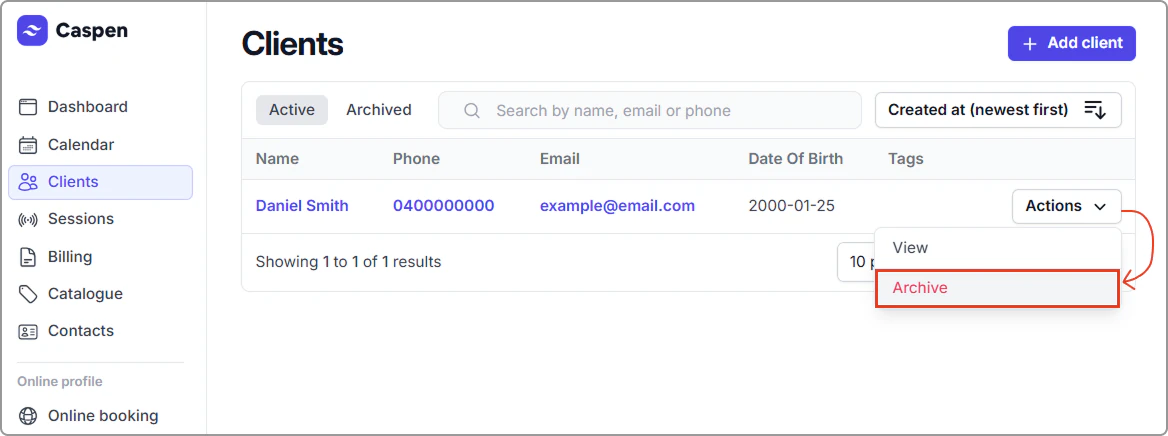
1. Open the Clients tab, find the client (search or scroll), then select **Actions** → **Archive**.
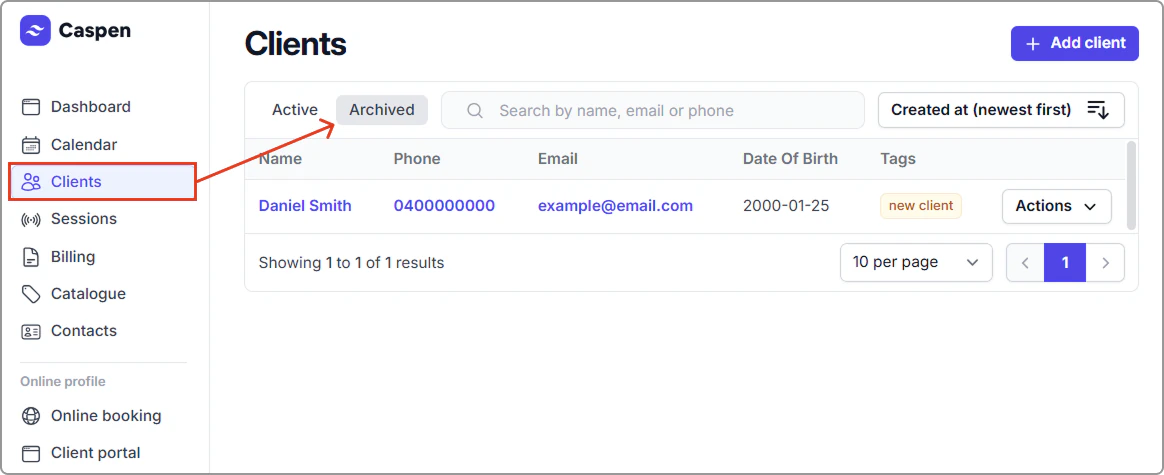
The archived client has been moved into your archived client list (click archived & scroll or search for the client).
---
## Restore a client
1. Open **Clients**, then click the **Archived** tab at the top of your clients table.
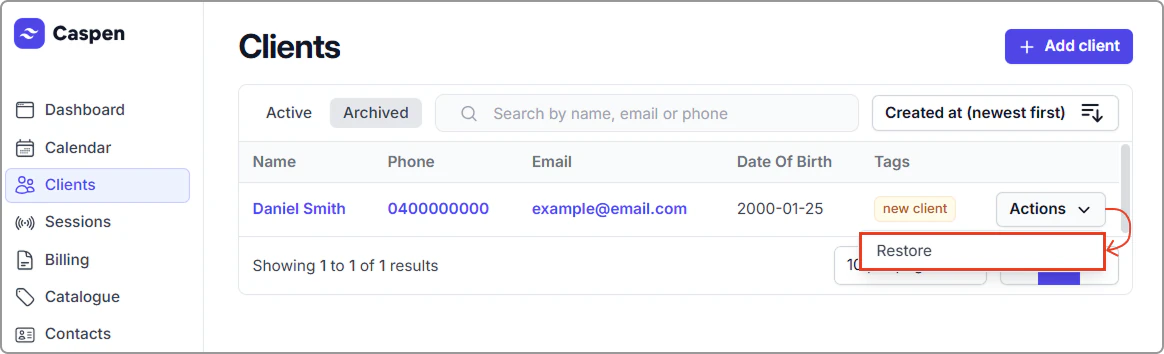
2. Find the client, then select **Actions** → **Restore**.
After restoring, the client appears in the **Active** tab (and no longer in Archived).