# Add a contact

> Learn how to add new contacts to send invoices, letters and assign cases.

Source: https://support.caspen.com/contacts/add-a-contact
Documentation index: https://support.caspen.com/llms.txt

> **Info:**
>
> _Who is a contact?_ A contact is a person or organization connected to your clinic or a client, but not a patient themselves. Examples include a referring GP or specialist, a plan manager or insurer, a funding body, an employer, or another provider you share information with.


## Add a contact

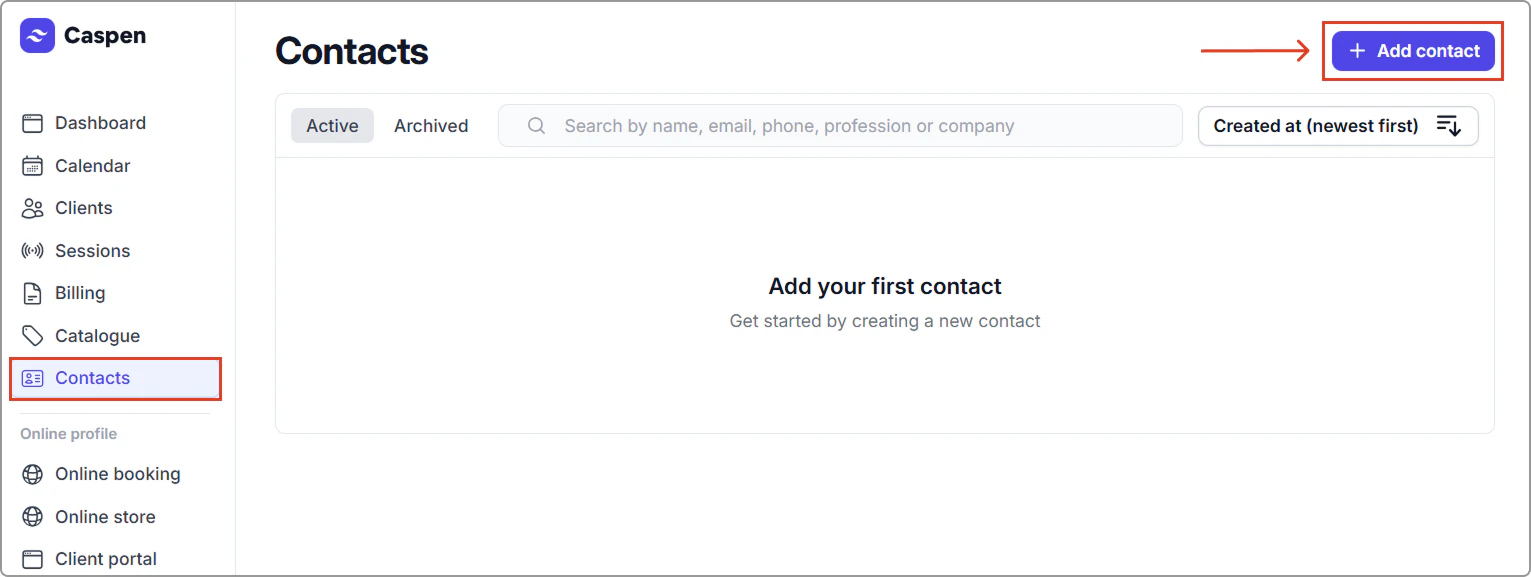
1. Go to **Contacts** and click **Add contact**.

<figure><img src="https://support.caspen.com/files/aaLOjDIu3A6Nm4QWaX1F.webp" alt=""><figcaption></figcaption></figure>

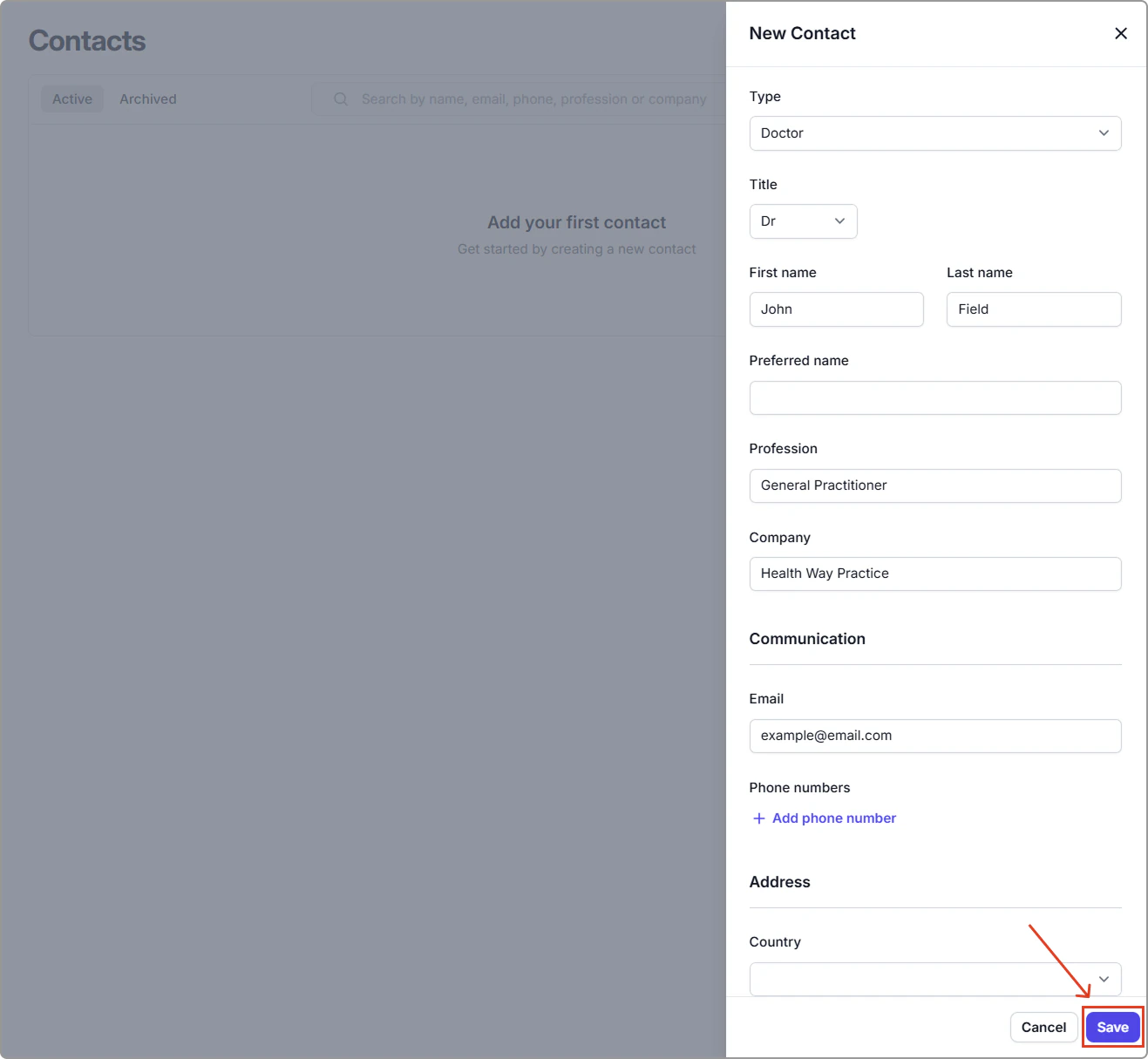
2. Enter the contact details (see **Contact field reference** below).
3. Click **Save.** The new contact will be **added to your Contacts table**.

<figure><img src="https://support.caspen.com/files/j1GJ6mZnidZx8IkOK6JS.webp" alt=""><figcaption></figcaption></figure>

---

## Contact field reference

| Field          | Description                                                                                                                                                                                                                                                                                                                                                                                                                                                                                    |
| -------------- | ---------------------------------------------------------------------------------------------------------------------------------------------------------------------------------------------------------------------------------------------------------------------------------------------------------------------------------------------------------------------------------------------------------------------------------------------------------------------------------------------- |
| Type           | <p>Classifies the contact.</p><ul><li>Standard: A general contact (often linked to a client, such as a carer, parent or guardian).</li><li>Doctor: Medical referrer or treating clinician (e.g. GP, specialist).</li><li>Third party payer: Organisation that pays on the client’s behalf (e.g. insurer, funder, employer).</li><li>Plan Manager: Provider that manages client funding and pays service providers on the client’s behalf. (In Australia, often NDIS-related.)</li></ul> |
| Title          | Title the contact prefers to be addressed by (e.g., Dr, Mr, Mrs, Ms, Miss, Mx).                                                                                                                                                                                                                                                                                                                                                                                                                |
| Name           | Contact’s full legal name (first and last name).                                                                                                                                                                                                                                                                                                                                                                                                                                               |
| Preferred name | The name the contact prefers to be called.                                                                                                                                                                                                                                                                                                                                                                                                                                                     |
| Profession     | The contact’s role or discipline (e.g. GP, physiotherapist).                                                                                                                                                                                                                                                                                                                                                                                                                                   |
| Company        | Employer or organisation the contact works for.                                                                                                                                                                                                                                                                                                                                                                                                                                                |
| Email          | Address used for messages and documents (e.g. letters, invoices). Use a valid email to enable outbound communications.                                                                                                                                                                                                                                                                                                                                                                         |
| Phone numbers  | Phone number(s) for the contact (you can add direct and office lines).                                                                                                                                                                                                                                                                                                                                                                                                                         |
| Address        | Postal or street address for correspondence.                                                                                                                                                                                                                                                                                                                                                                                                                                                   |
| Notes          | Any additional context relevant to this contact (e.g., best time to call, admin preferences). Displayed on the contact profile only.                                                                                                                                                                                                                                                                                                                                                           |
<br>