# Archive a contact
> Learn how to archive and restore a contact in Caspen.
Source: https://support.caspen.com/contacts/archive-a-contact
Documentation index: https://support.caspen.com/llms.txt
## Archive a Contact
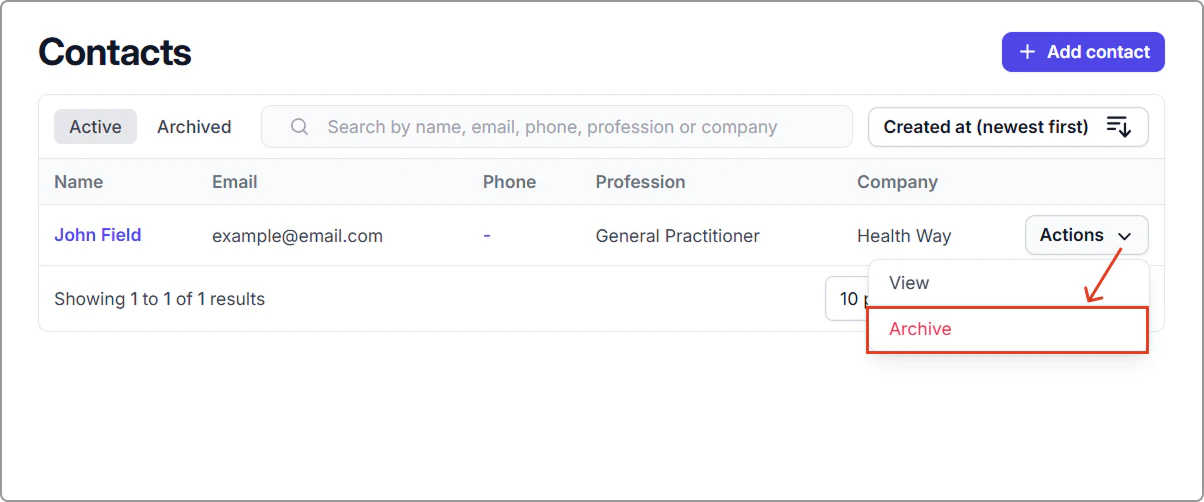
1. Go to **Contacts**.
2. Find the contact you want to archive and select **Actions** → **Archive**.
**Result:**\
The contact moves to the **Archived** tab and is hidden from the **Active** list.
---
## Restore an archived contact
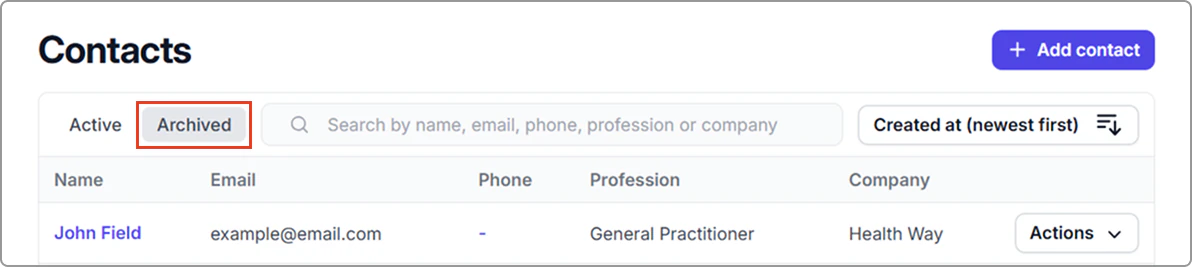
1. Go to **Contacts**, click the **Archived** tab.
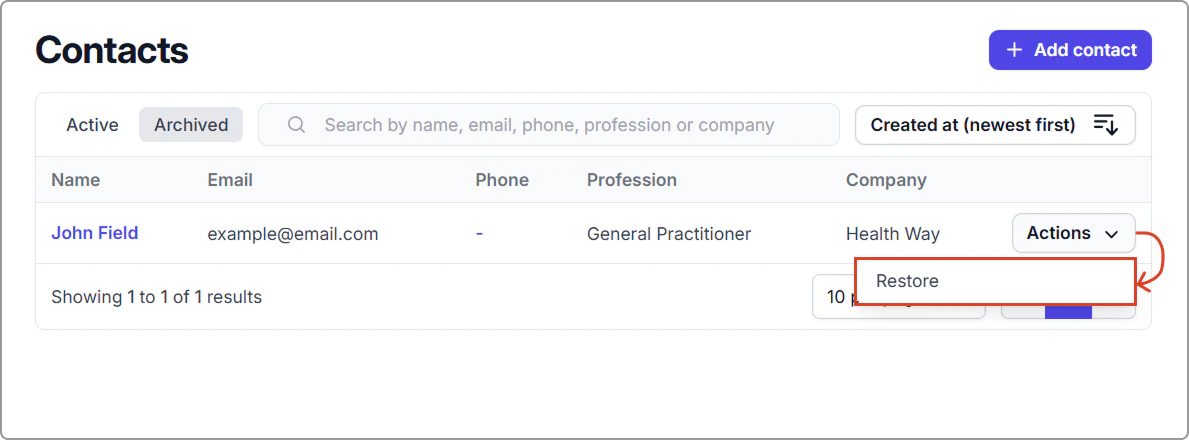
2. Find the contact and select **Actions** → **Restore**.
**Result:**\
The contact returns to the **Active** list. You can view the contact under the **Active** tab.