# Team noticeboard
> Keep your team connected and up-to-date with announcements, updates, and shared notes all in one place.
Source: https://support.caspen.com/dashboard/team-noticeboard
Documentation index: https://support.caspen.com/llms.txt
## Overview
The Team Noticeboard is your shared communication space for important updates, reminders, and general messages.
It replaces scattered emails and sticky notes with a central feed where every team member can see what’s new and react in real time.
You can:
- **Post announcements** visible to all users.
- **React with emojis** for quick feedback.
- **Flag or edit posts**.
- **Archive messages** you no longer need.
## How to post on the Noticeboard
1. Go to **Dashboard** → **Noticeboard** section.
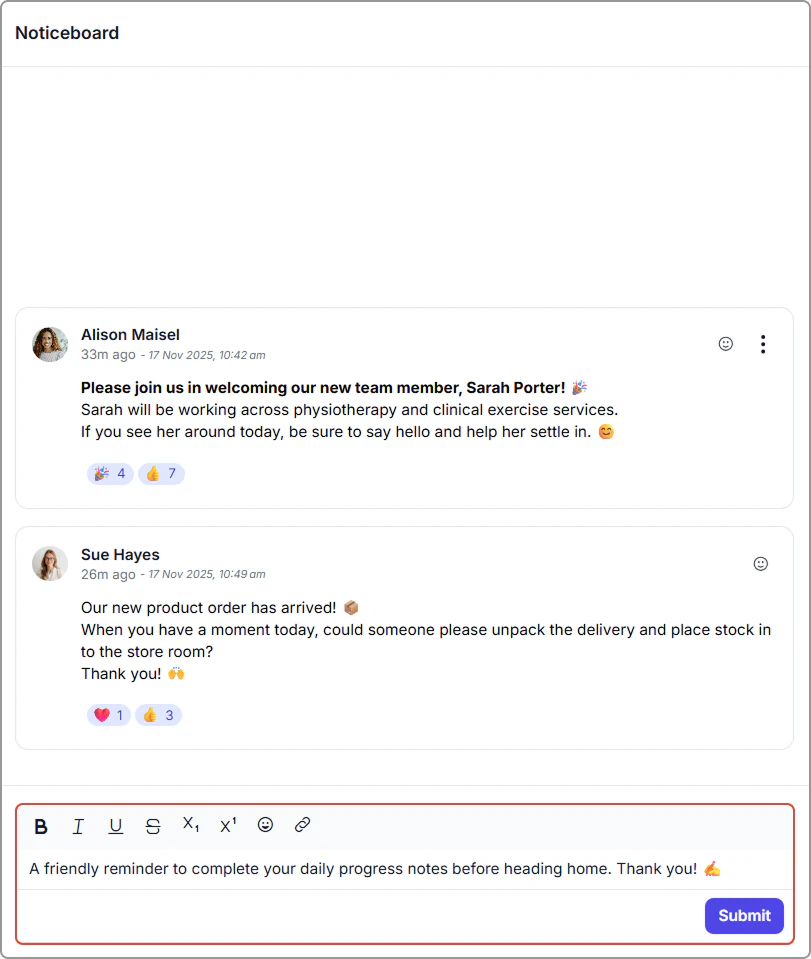
2. Type your announcement in the text box at the bottom.
Use the toolbar to format your text (bold, italic, etc.).
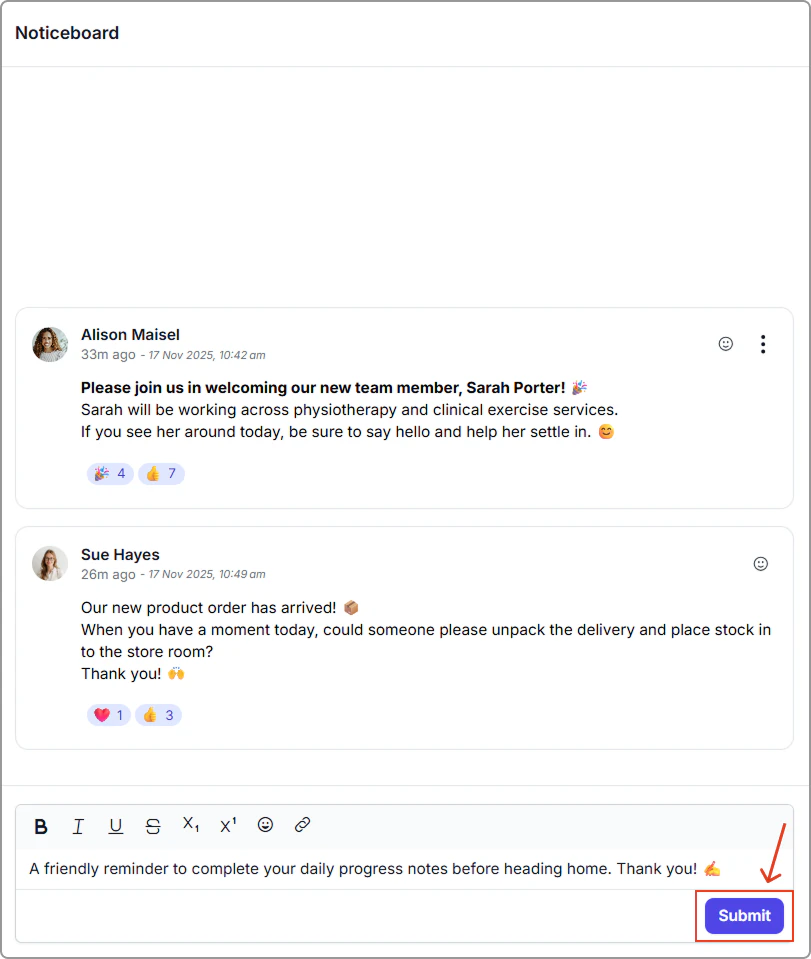
3. Click **Submit** to post your announcement.\
It will appear immediately on the noticeboard for all users.
## How to manage posts
You can edit, flag, react to, and archive posts to keep your Noticeboard organized and useful.
### Post actions
- **Edit:** Update the message content.
- **Flag:** Mark an important post for quick reference.
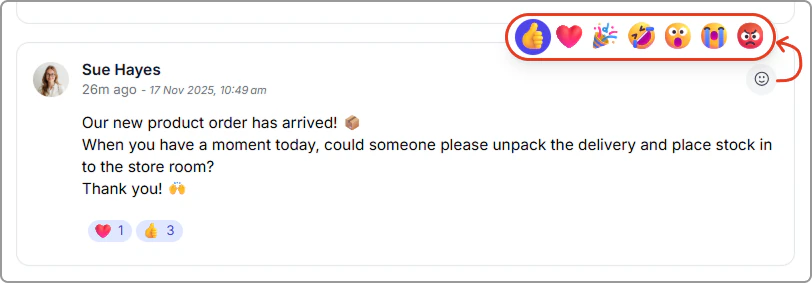
- **React:** Respond with emojis for quick feedback.
- **Archive:** Remove posts you no longer need. Archived posts disappear from the main feed.
### Edit, flag or archive a post
To manage a post:
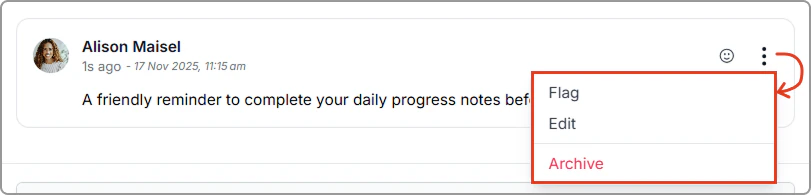
1. Click the **three dots** on the post.
2. Select **Flag**, **Edit** or **Archive**.
More options menu showing Flag, Edit and Archive.
### React with emojis
Use emoji reactions to quickly acknowledge updates, celebrate wins, or respond without interrupting your workflow.
Emoji reactions are perfect for remote and busy teams. A quick thumbs-up can let someone know you have seen their update.