# Archive a product
> Keep your catalog tidy by archiving items you no longer sell.
Source: https://support.caspen.com/inventory-and-products/archive-a-product
Documentation index: https://support.caspen.com/llms.txt
## How to archive a product
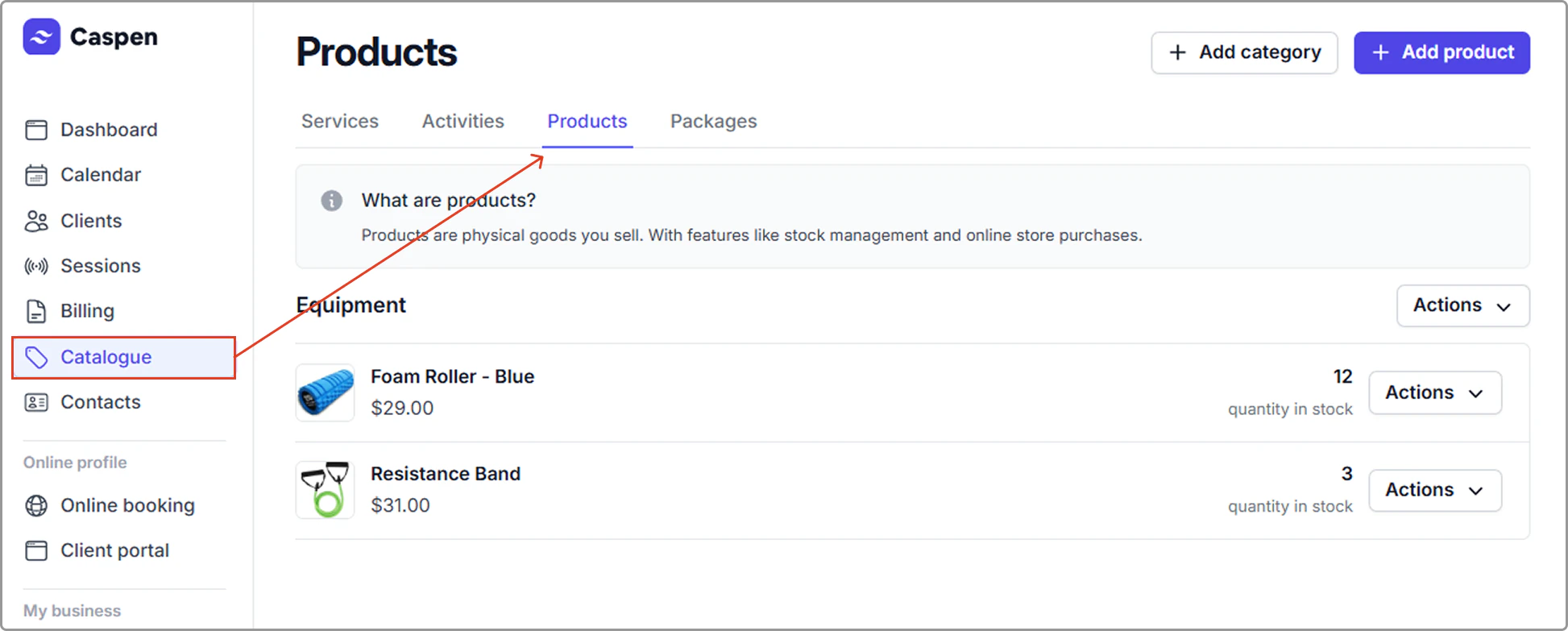
1. Open the **Catalog** and select the **Products** tab.
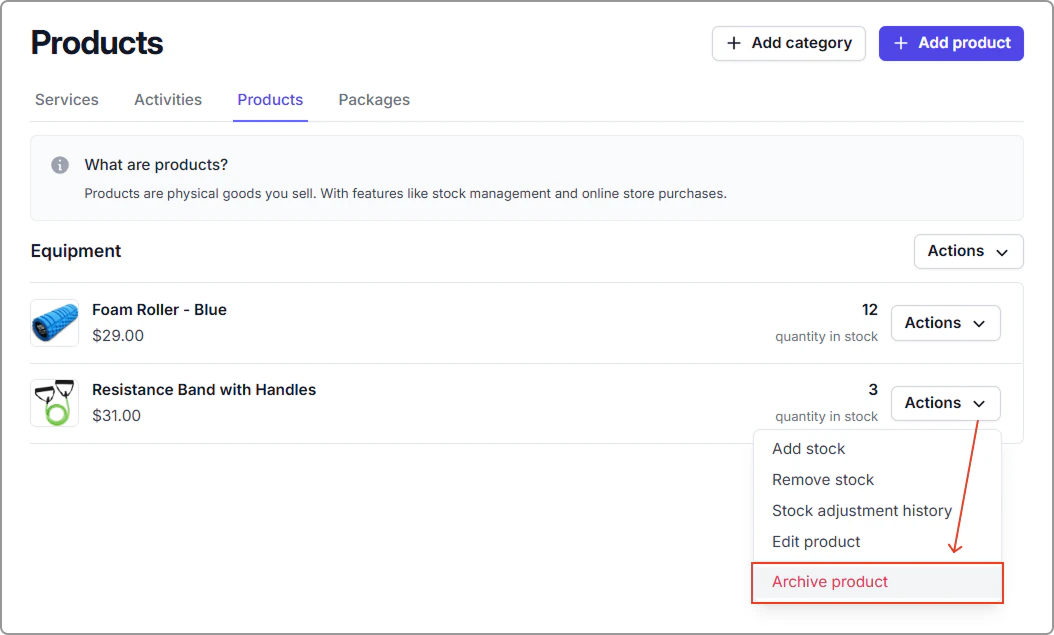
2. Find the product you want to archive.
3. Click **Actions**, then select **Archive product**.
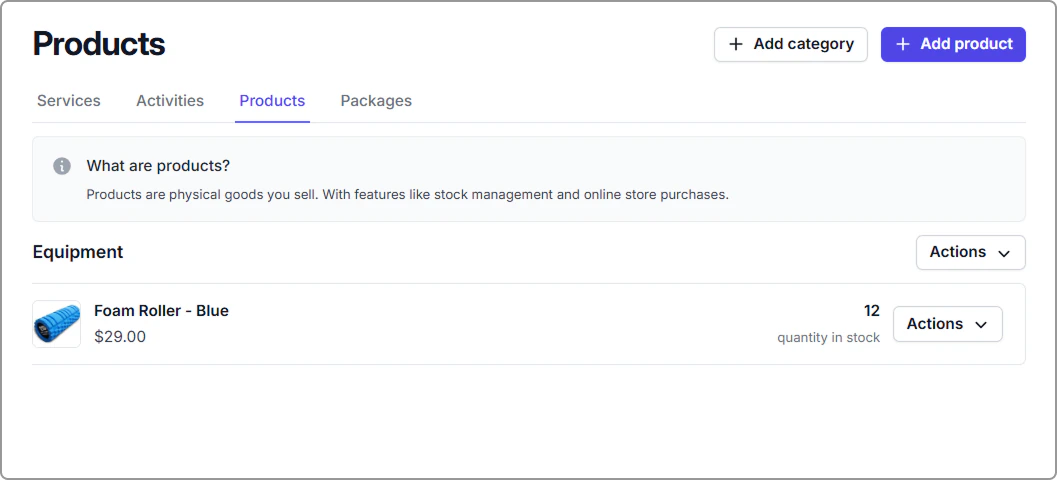
4. **The product is now archived**. It’s removed from the Products list and hidden from user view, and it can’t be searched, opened, or added to an invoice.
---
## Frequently asked questions
Can I restore my archived products?
Yes, once a product has been archived, it can be restored. If you made a mistake, feel free to reach out to the Caspen team to help restore the product for you.