# Edit a product
> Keep your inventory accurate and up to date by regularly updating products. Learn how to manage your product inventory effectively.
Source: https://support.caspen.com/inventory-and-products/edit-a-product
Documentation index: https://support.caspen.com/llms.txt
## How to edit a product
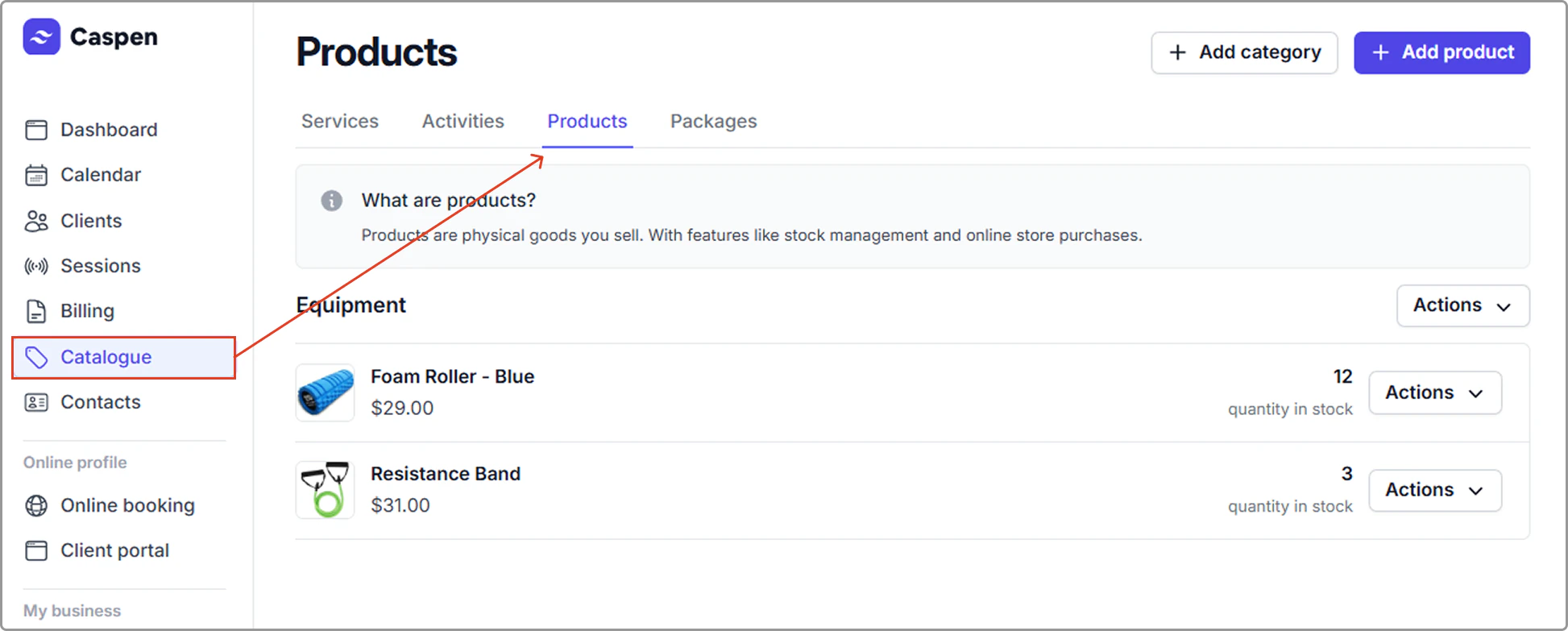
1. Open the **Catalog** and select the **Products** tab.
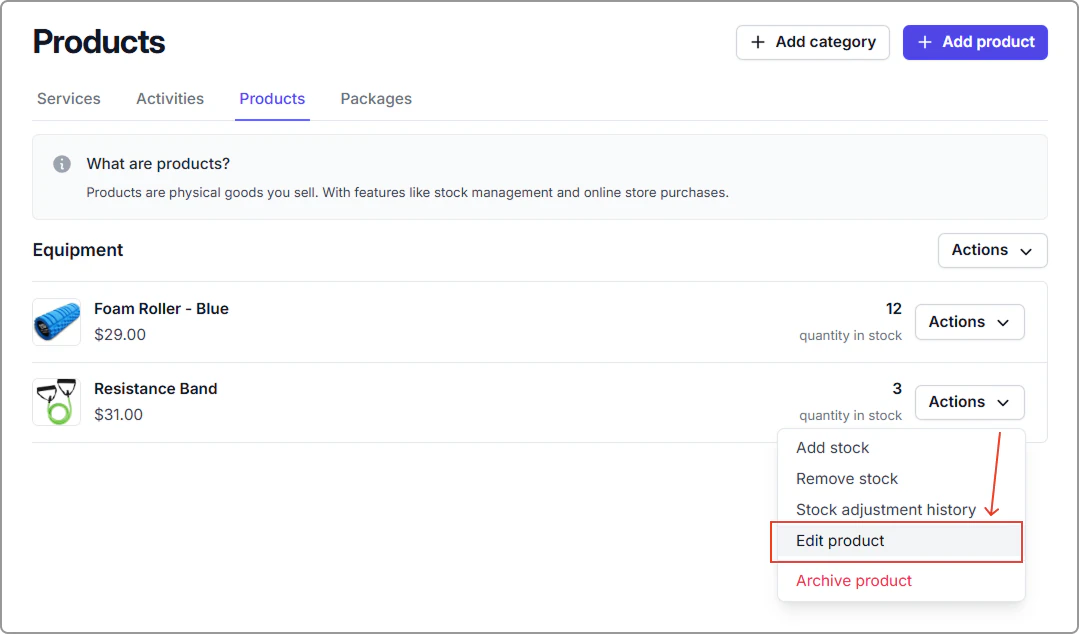
2. Find the product you want to update. Click on **Actions**, then select **Edit product**.
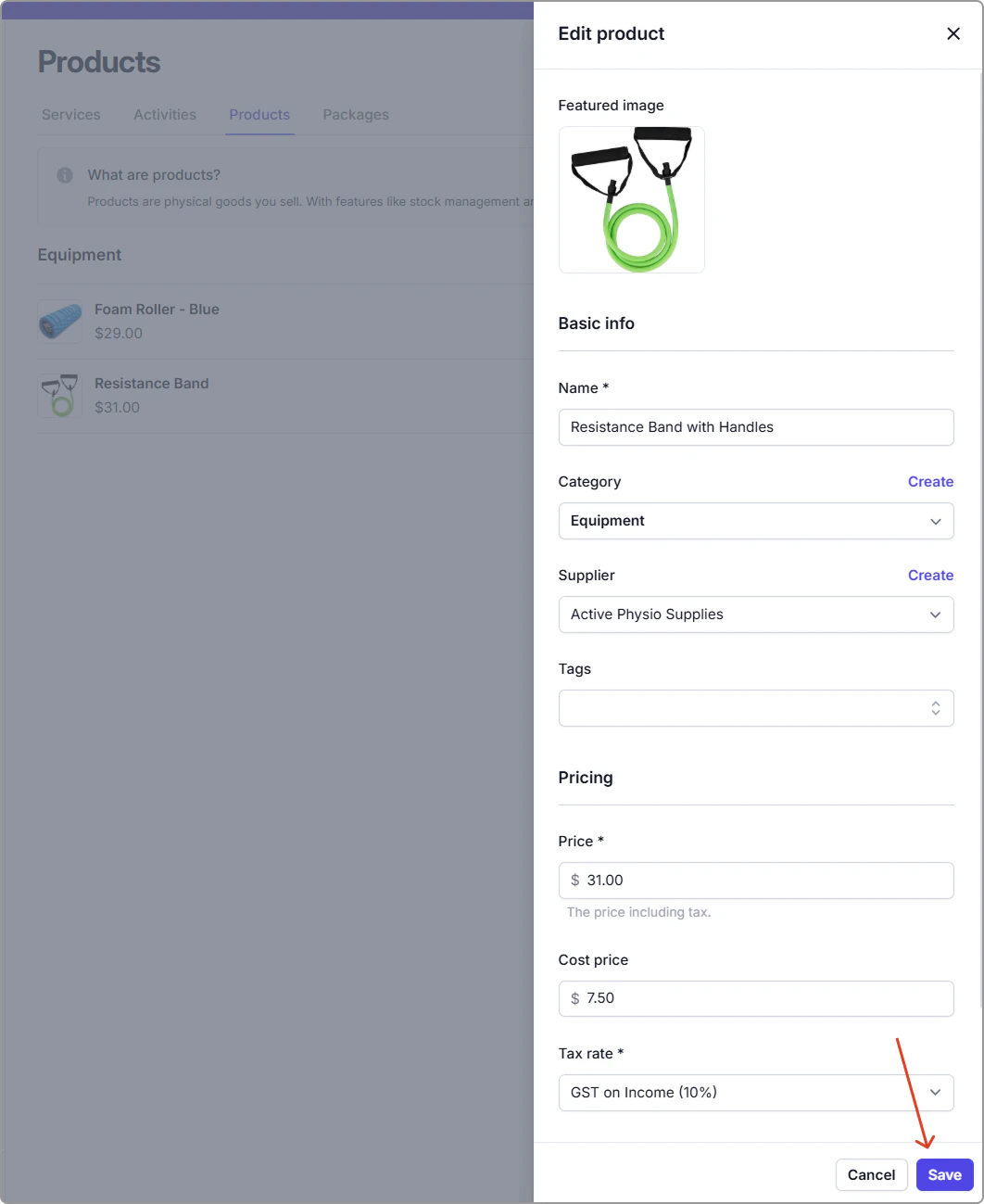
3. Make any required changes to your product, then Click **Save** to update the product.