> For the complete documentation index, see [llms.txt](https://support.caspen.com/llms.txt). Markdown versions of documentation pages are available by appending `.md` to page URLs; this page is available as [Markdown](https://support.caspen.com/using-caspen/catalog.md).
# Catalog
Set up services and activities, create packages, and manage products and stock.
### Catalog Overview
The Catalog holds everything your business offers. Add services and activities, build packages, and manage inventory and products.
{% hint style="warning" %}
**Before you begin: services vs activities**
* **Appointments (services):** For client-facing services including telehealth appointments.
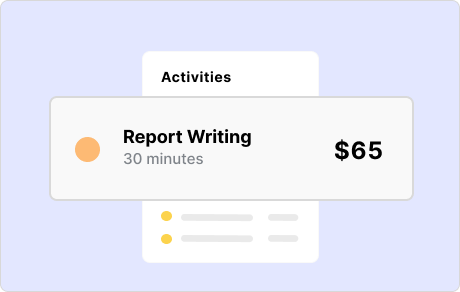
* **Activities:** For non-face-to-face work like report writing or billable communications.
* Appointments send client notifications. Activities do not.
{% endhint %}
### Services
* [Service categories](/using-caspen/catalog/services/service-categories.md) - Create, edit or archive a category.
* [Add a service](/using-caspen/catalog/services/add-a-service.md) - Create a new service in your catalog.
* [Edit a service ](/using-caspen/catalog/services/edit-a-service.md)- Edit the details of a service.
* [Archive a service](/using-caspen/catalog/services/archive-a-service.md) - Remove a service from your catalog.
* [Add buffer times to services](/using-caspen/catalog/services/add-buffer-times-to-services.md) - Set before and after buffers to allow for extra time around appointments.
### Activities
* [Activity categories](/using-caspen/catalog/activities/activity-categories.md) - Create, edit or archive a category.
* [Add an activity](/using-caspen/catalog/activities/add-an-activity.md) - Create a new activity in your catalog.
* [Edit an activity](/using-caspen/catalog/activities/edit-an-activity.md) - Edit the details of an activity.
* [Archive an activity ](/using-caspen/catalog/activities/archive-an-activity.md)- Remove an activity from your catalog.
### Packages
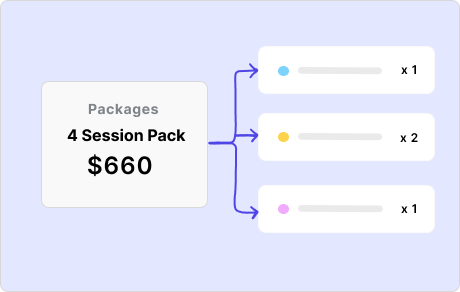
* [Add a package](/using-caspen/catalog/packages/add-a-package.md) - Create a new package in your catalog.
* [Add a package to a client](/using-caspen/catalog/packages/assign-a-package-to-a-client.md) - Apply a package to a client so appointments can use its credits.
* [Edit a package ](/using-caspen/catalog/packages/edit-a-package.md)- Update the name, price, credits, included services, or expiry rules.
* [Archive a package](/using-caspen/catalog/packages/archive-a-package.md) - Remove a package from your catalog so it cannot be sold again.
### Products
For full details on products, stock tracking, and adjustments, see[ Inventory & Products](/using-caspen/inventory-and-products.md).
### FAQs
Can I change the duration of a service when booking?
Yes. You can override the default and set the duration you need when booking.
When should I use an appointment instead of an activity?
Use an appointment for client-facing sessions (for example, telehealth or consultations). Use an activity for internal or non-face-to-face tasks such as report writing.