> For the complete documentation index, see [llms.txt](https://support.caspen.com/llms.txt). Markdown versions of documentation pages are available by appending `.md` to page URLs; this page is available as [Markdown](https://support.caspen.com/using-caspen/catalog/packages/edit-a-package.md).
# Edit a package
Learn how to edit a package you offer in your catalog.
## Edit a package
If you want to edit a package that you offer:
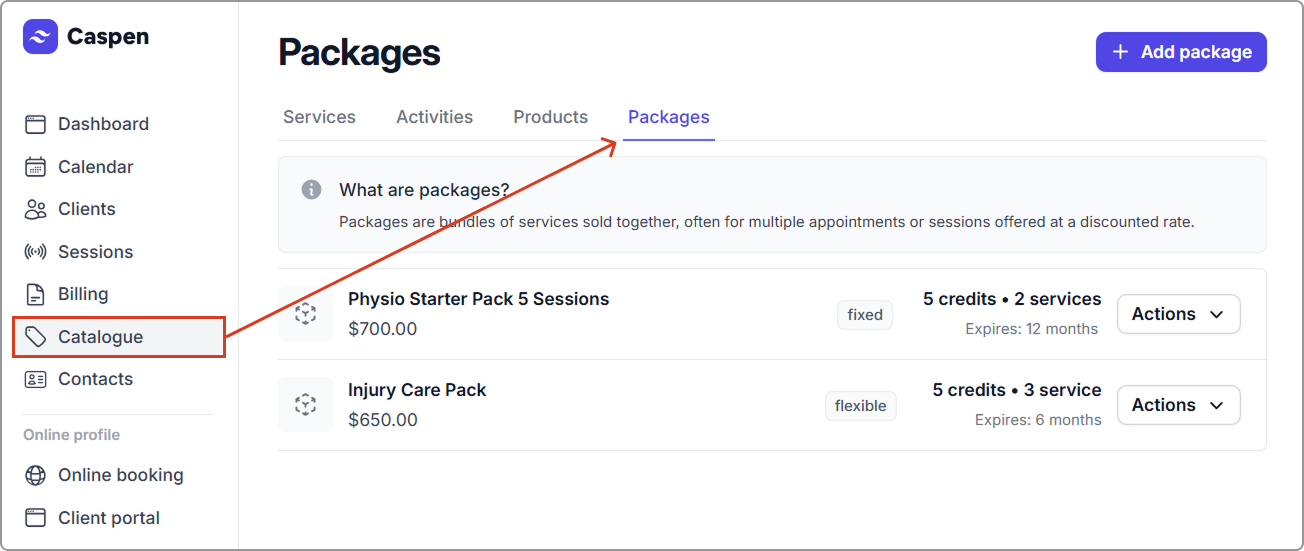
1. Go to **Catalog** → **Packages** tab.
2. Find the package, then click **Actions** → **Edit package**.
3. Update the fields you need (for example: Name, Description, Credits, Amount, Tax rate, Included services, Define quantities, Expiry).
4. Click **Save**.
**After you save:**
* Edits apply to new client packages created from this package.
* Existing client packages are not changed and keep their current usage history.
{% hint style="info" %}
**Tip:** For major changes (e.g., different service mix or pricing), it’s best to create a new package and archive the old one to avoid confusion.
{% endhint %}
\