Edit a service
Learn how to update an existing service in Caspen.
1 min readUpdated 8 months ago
Edit a service
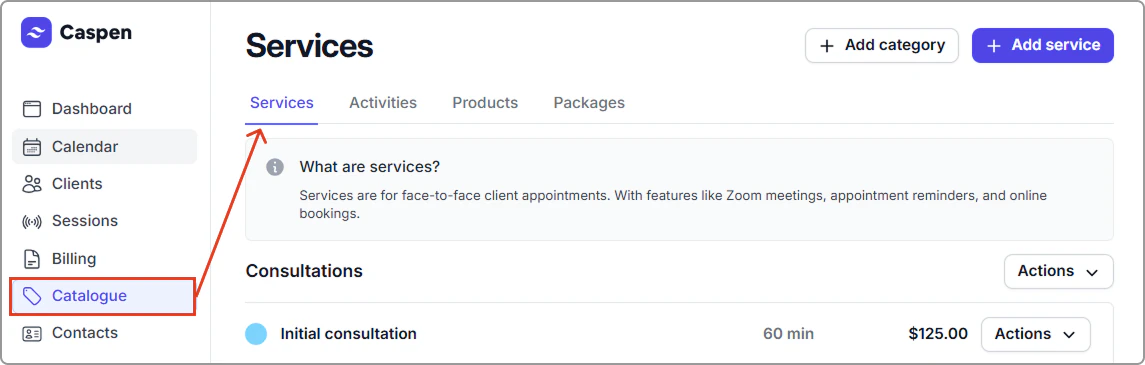
- Go to Catalog → Services.
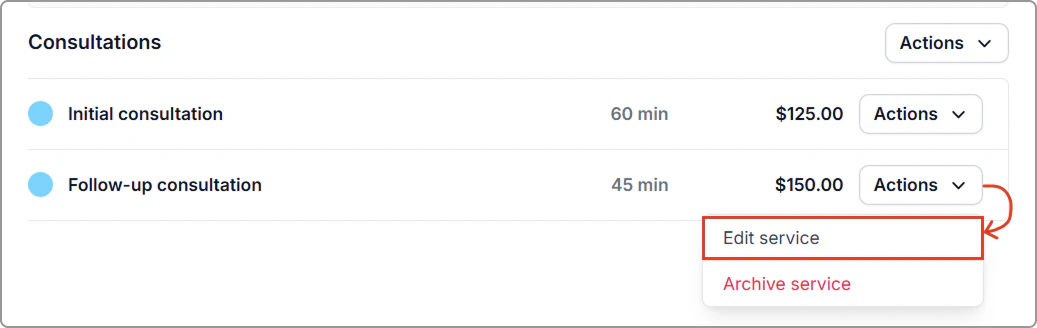
- Find the service, then click Actions → Edit service.
- Update the fields you need, then Click Save.
After you save
- The service is updated in your catalog with the new settings.
- New bookings use the updated details.
- Existing bookings do not change. Review any already scheduled appointments if needed.