Set up body chart templates
Learn how to create and manage body chart templates for your workspace.
1 min readUpdated 8 months ago
Overview
Body chart templates let you upload and manage anatomical chart images that practitioners can use during appointments.
Access body chart templates
Go to Settings → Body chart templates.
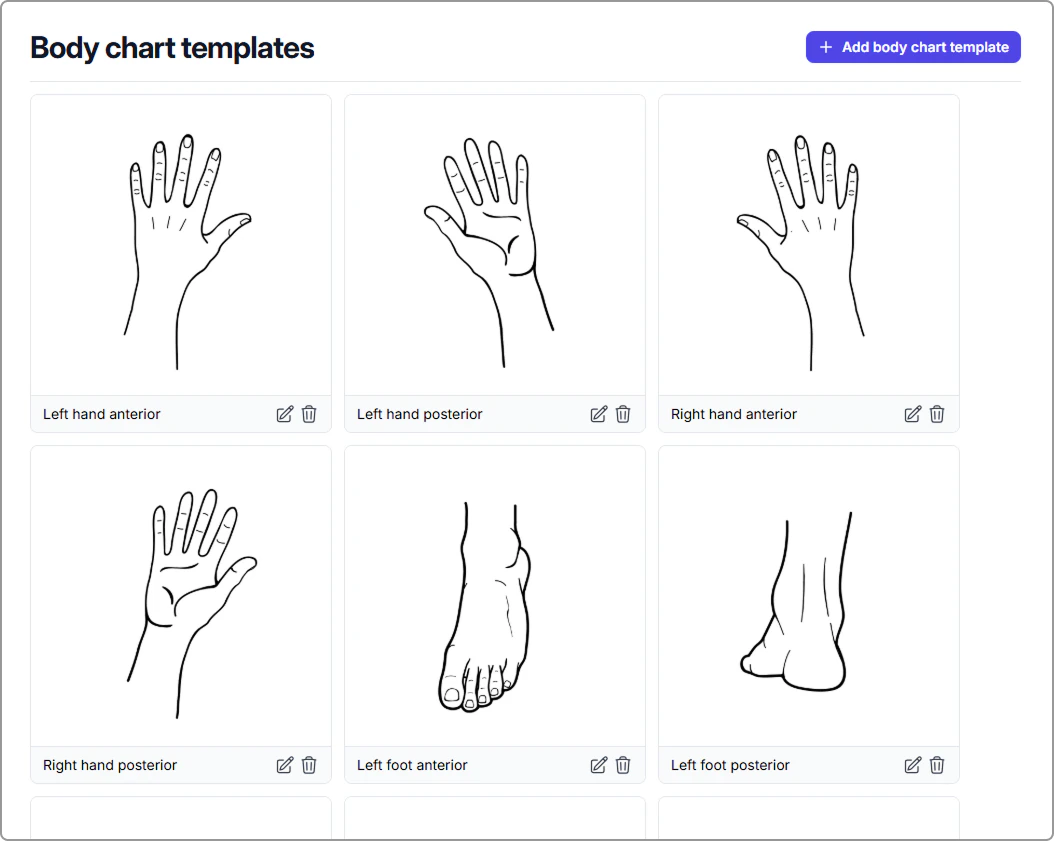
What you can do on this page
✔️ View existing templates
Caspen includes default body chart templates for common anatomical views (for example, full body anterior, posterior, lateral, plus hand and foot views).
➕ Add a new body chart template
- Click Add body chart template (top-right).
- Enter a Name.
- Upload an image in JPG or PNG format.
- Click Create.
Your new template will now appear in the list.
✏️ Rename a body chart template
- Click the edit (pencil) icon below a template.
- Update the Name.
- Click Save.
🗄️Archive a body chart template
- Click the archive (trash) icon below a template.
- Confirm to remove it from active use.
Related article:
- Using body chart templates in progress notes – Add body charts to progress notes and mark them up with drawings, labels, and symbols.