Reschedule an activity
Learn how to move an existing activity to a new time or day.
1 min readUpdated 8 months ago
Ways to reschedule
- Drag and drop on the calendar (fastest), or
- Edit the activity and change date and time (opens the edit window).
Drag and drop
- Go to the Calendar.
- Click and drag the appointment to the new time or day in the same week.
- Release to place it, then confirm the change by clicking Reschedule activity.
Edit the activity
- Open the Calendar.
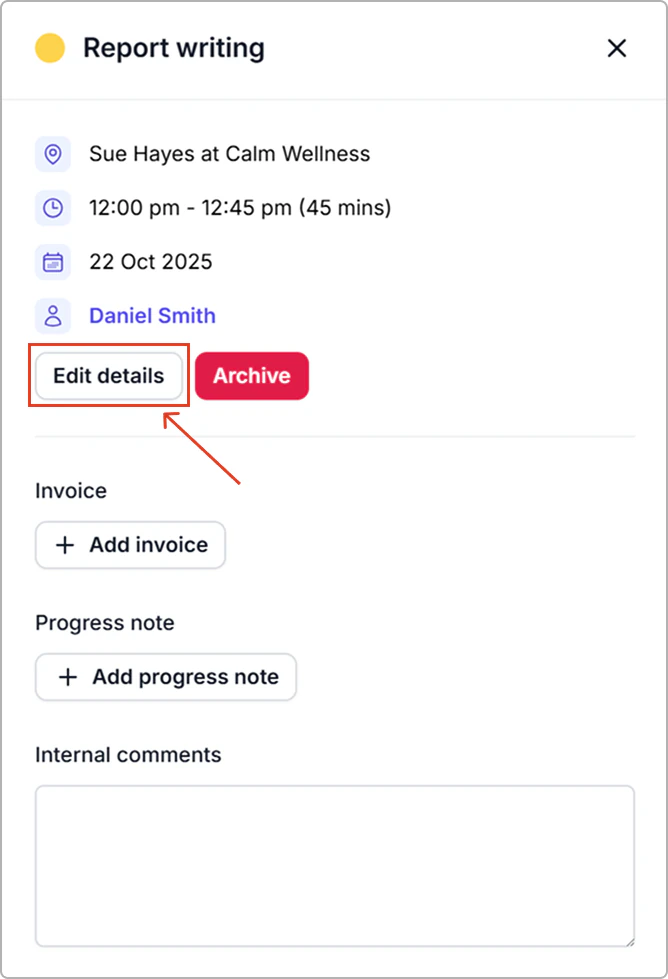
- Click on the activity to open the info panel, then click Edit details.
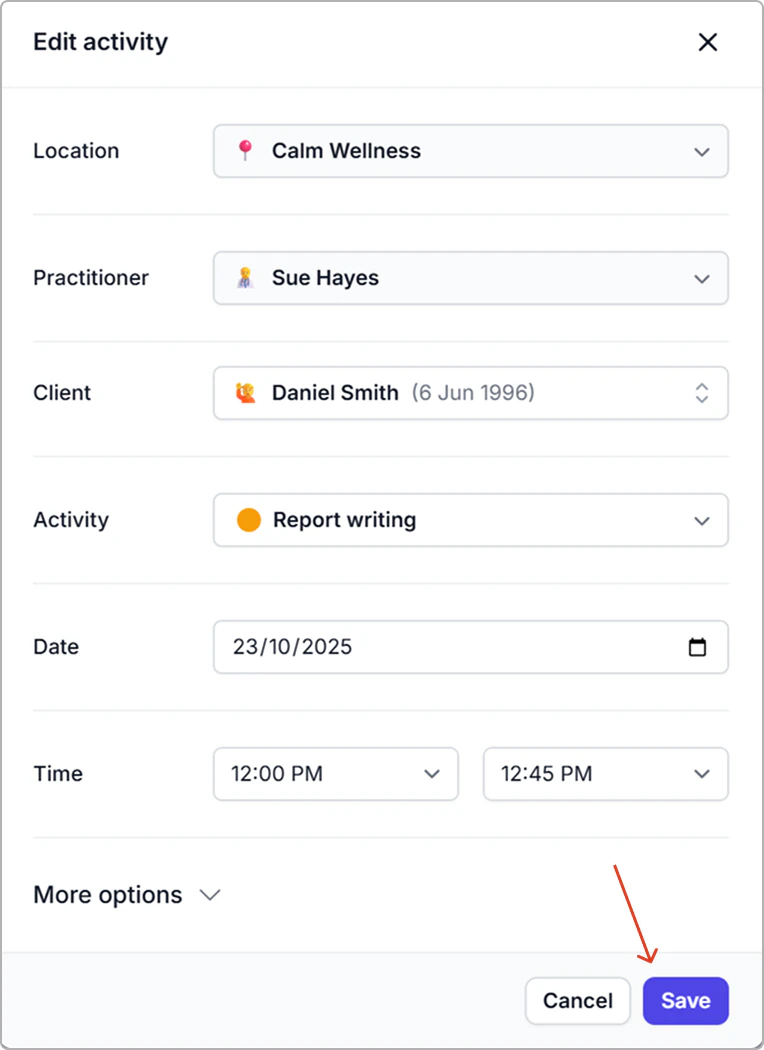
- Update date and/or time.
- Click Save.
Result
- The calendar updates immediately .