Record allergies, intolerances & medications
Add allergies, intolerances and medications to a client profile.
Getting started
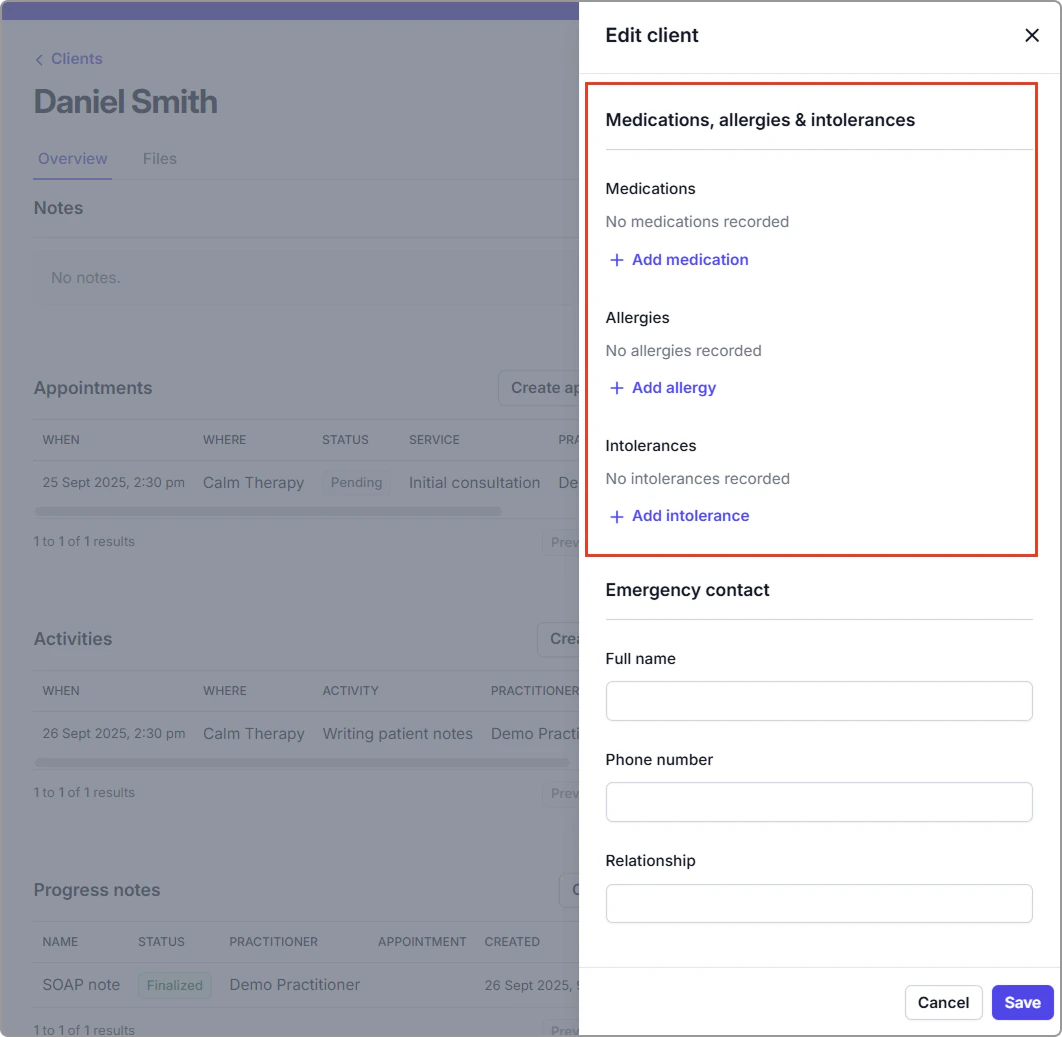
You can add or update allergies, intolerances, and medications by editing the client. Once saved, they appear in the Medications, allergies & intolerances panel on the client profile.
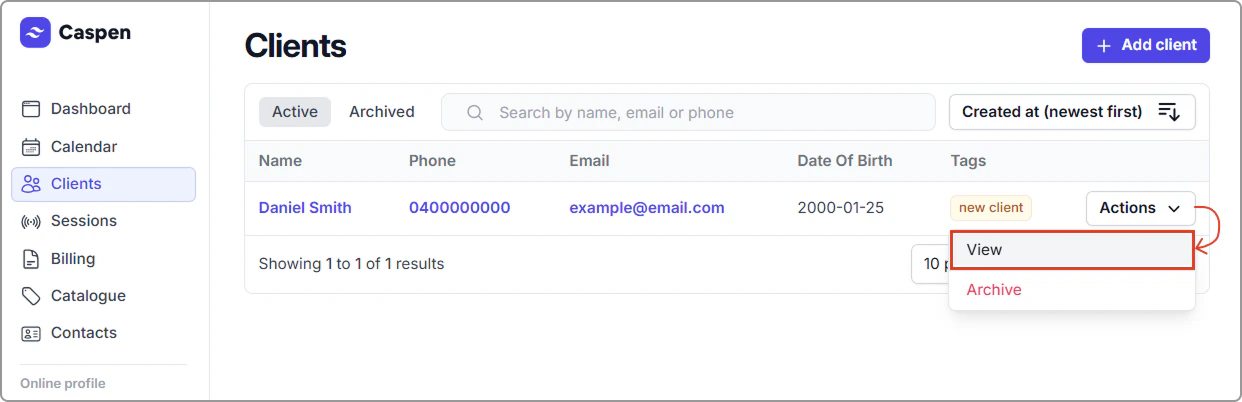
- Go to Clients, find the client then select Actions → View (or click their name).
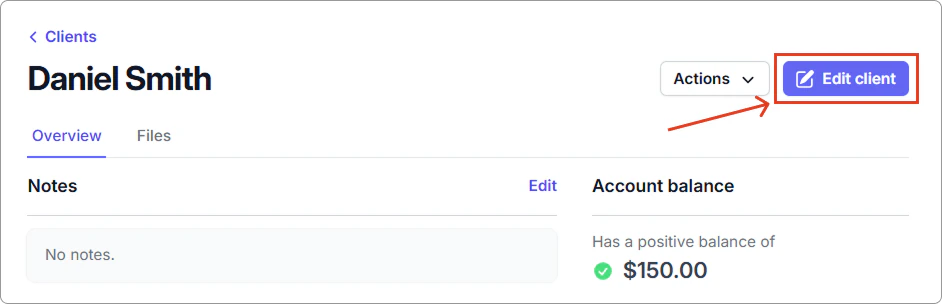
- Click Edit client.
- Scroll to Medications, allergies & intolerances.
Record an allergy
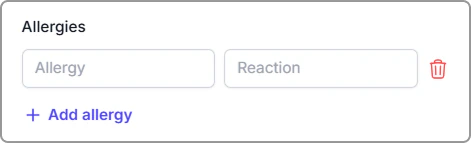
- Click Add allergy.
Enter the Allergy (e.g., Penicillin) and the Reaction (e.g., Anaphylaxis).
Info
Note:
- To record no known allergies, enter NKA in the Allergy field and save.
- You can edit or remove an allergy later using the trash icon.
Record an intolerance
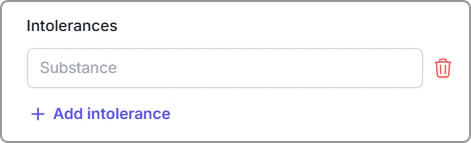
- Click Add intolerance.
- Enter the Substance (e.g., Lactose, Gluten).
Info
Note:
Use intolerances for non-allergic sensitivities (e.g., lactose, gluten, FODMAP items).
Record medications
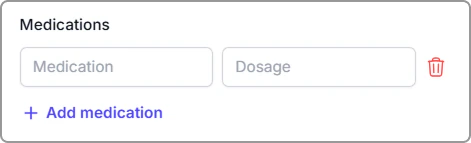
- Click Add medication.
- Enter the Medication (e.g., Ceftriaxone) and Dosage - if known (e.g., 1 g).
Info
Note:
Include strength, route, and frequency in Dosage if useful (e.g., 500 mg, oral, twice daily).
Save your changes
Click Save (bottom right). Updates show in Medications, allergies and intolerances on the right side of the client profile.
Frequently asked questions
How do I record “No Known Drug Allergies”?
Enter NKDA as the allergy and Save (optional, if your clinic uses this).
What if I don’t know the dose?
Leave Dosage blank or add what you know (you can update later).
Can I add multiple allergies/intolerances/medications?
Yes, you can add as many entries as needed.
Can I attach documents (e.g., scripts, allergy test results) to the client?
Yes, you can upload files to the client’s Files tab if needed.
What’s the difference between an allergy and an intolerance?
An allergy is an immune reaction (for example, anaphylaxis or a rash), whereas an intolerance is a non-immune sensitivity (for example, lactose or gluten).