Archive a client
Archive a client to remove them from your active client list.
1 min readUpdated 8 months ago
Archive a client
Archiving a client removes them from your active client list meaning that an archived client will not be shown in main search pages like the calendar.
- Open the Clients tab, find the client (search or scroll), then select Actions → Archive.
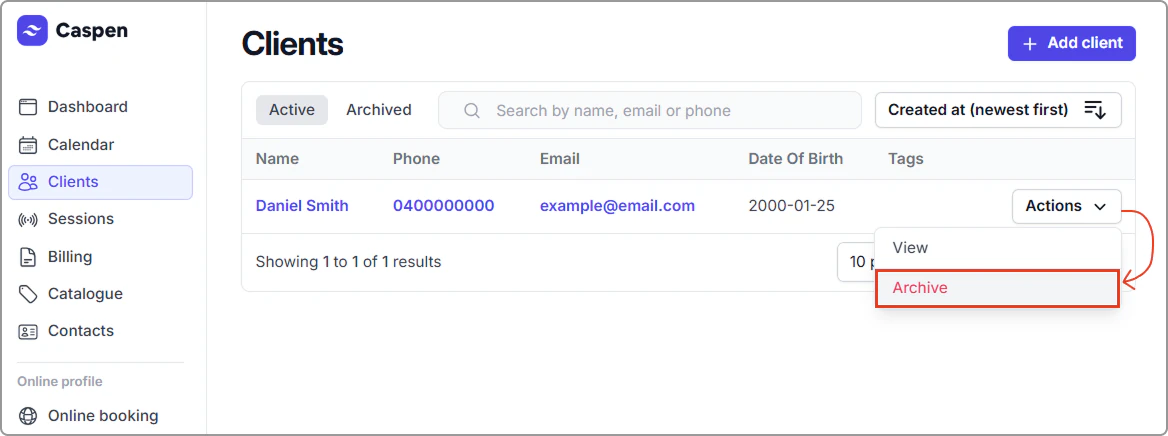
The archived client has been moved into your archived client list (click archived & scroll or search for the client).
Restore a client
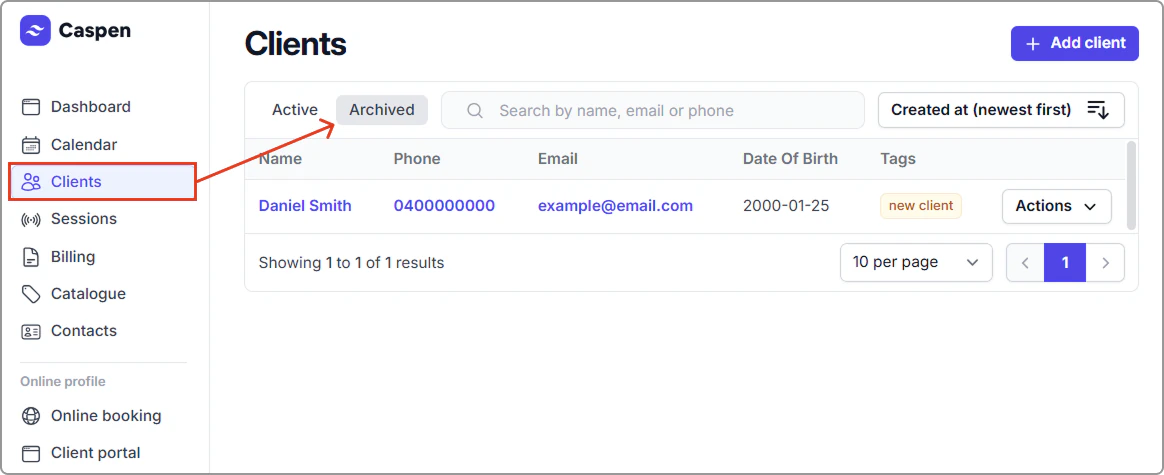
- Open Clients, then click the Archived tab at the top of your clients table.
- Find the client, then select Actions → Restore.
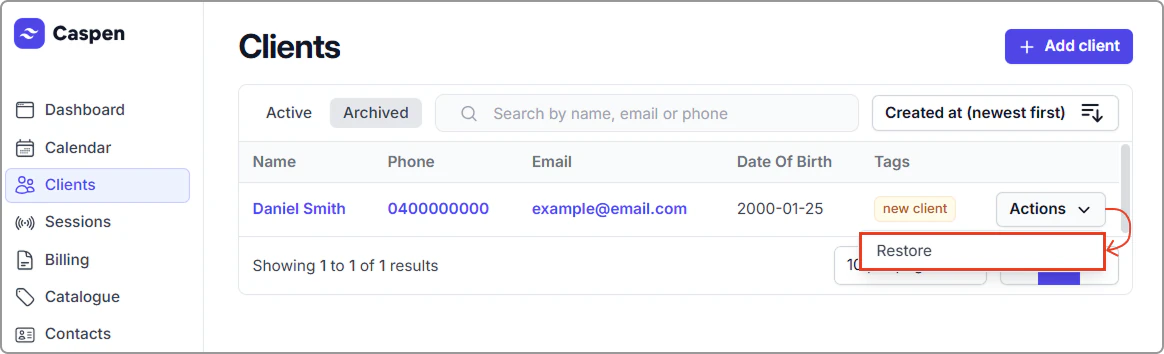
After restoring, the client appears in the Active tab (and no longer in Archived).