Migrating from Halaxy to Caspen
As a Halaxy alternative, transitioning to Caspen has never been easier.
Thanks for choosing Caspen!
We’ve created this comprehensive guide to support your move from Halaxy. Our team will handle the secure transfer of your data from Halaxy to Caspen, currently offered free of charge. Please note that this offer is subject to change without prior notice.
This guide includes:
- Overview of data that can be migrated from Halaxy to Caspen
- Export your data from Halaxy
- Data migration
The overview of data that can be migrated from Halaxy to Caspen
The following data can be imported from Halaxy to Caspen:
- Clients (Patients)
- Contacts
- Appointments
- Progress notes
- Forms
- Client files
Export Your Data From Halaxy
To export your Halaxy data, you’ll need to contact Halaxy’s support team to request access to the data export feature, regardless of whether you’re a sole practitioner or part of a larger clinic.
You can contact the support team using the email address community@halaxy.com using the email linked to your Halaxy account and request access.
Sample Email Template
Info
Dear Halaxy Support Team,
Could you please enable full data export access for my account at your earliest convenience? Kindly confirm once this has been actioned.
Thank you for your assistance.
Warm regards,
Your Full Name
Your Business Signature
Once you have access to the export, and if necessary, your user access level has been set, you can export your data from Halaxy by following the steps outlined in their support article, available on the Halaxy Knowledge Base. If you have any concerns or questions about the process, please get in touch with Halaxy support.
For more information, please see the Halaxy data export link
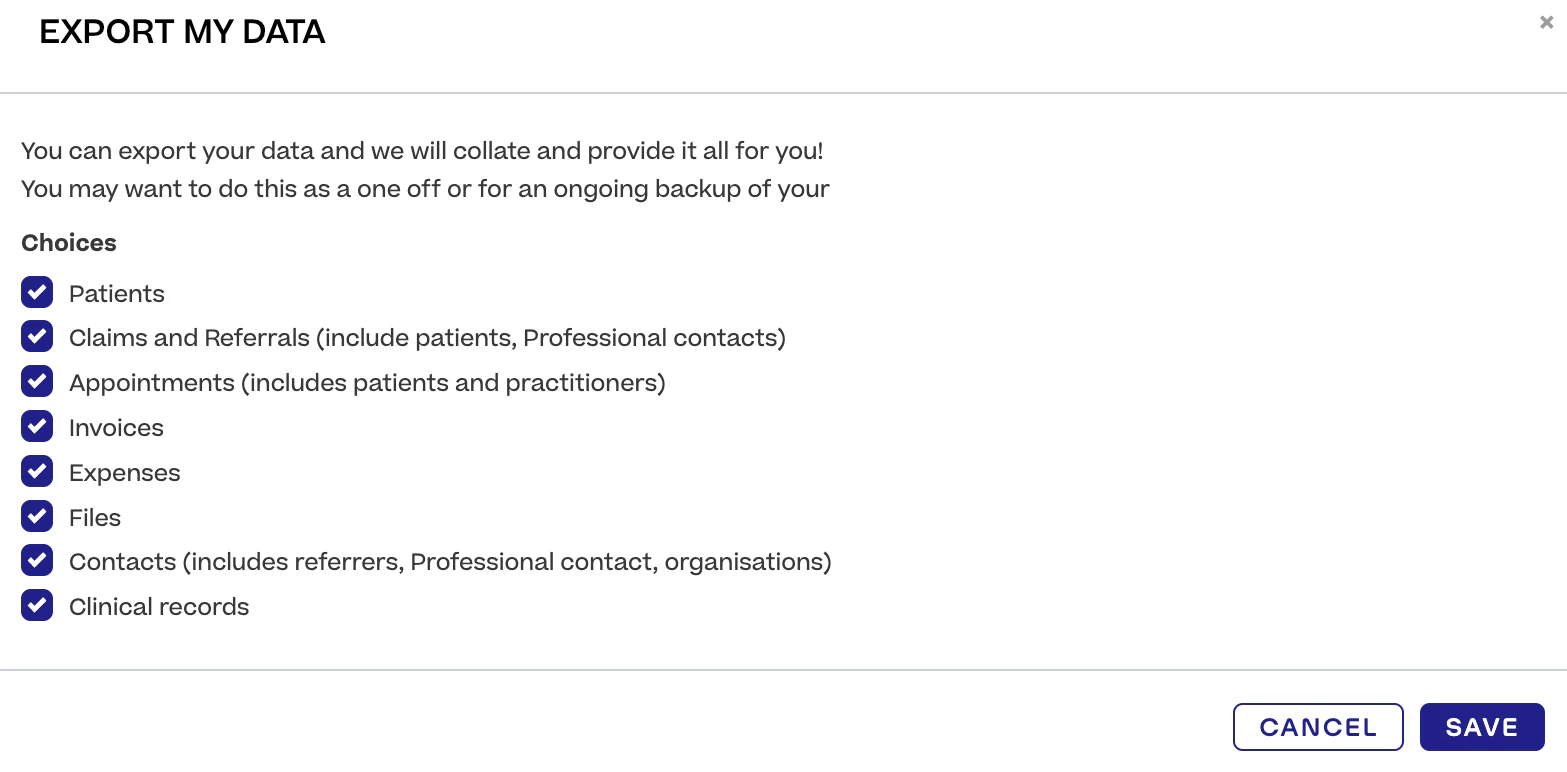
Halaxy will prompt you to specify a date range for the export. By selecting both a start and end date, you can ensure that your past, present, and future bookings are included.
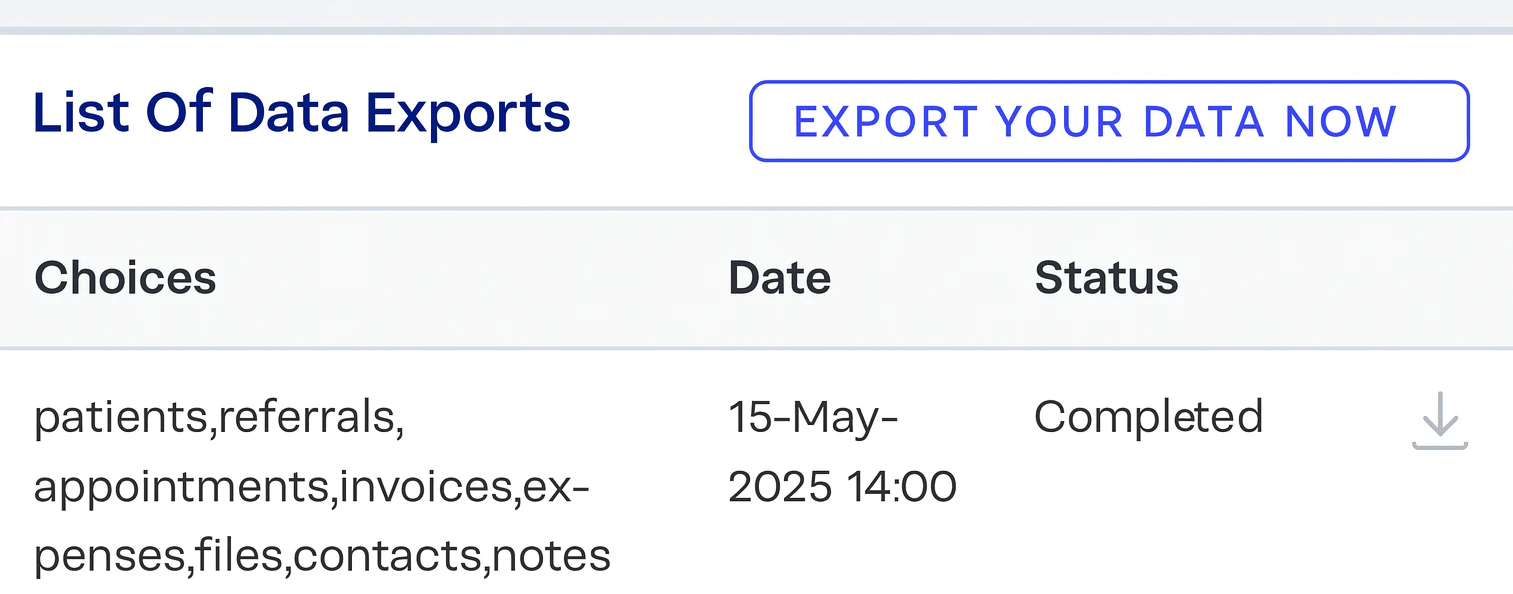
Once the export is complete, you can download your data by clicking the download icon. A ZIP folder will be downloaded—there is no need to open or modify this file.
Please upload the files to your preferred cloud storage service (e.g., Microsoft OneDrive, Google Drive, Dropbox) and share the data with us via a shareable link, rather than granting access to a specific email address.
If you require any assistance with this process, please don't hesitate to contact us.
Data Migration
Before we proceed with converting your data from Halaxy, we want to ensure it meets your expectations. To do this, we will first complete a trial migration for your review and approval.
- Review your data: Once the trial migration is complete, please check your data carefully to confirm its accuracy and make sure it meets your expectations.
- Approve or request changes: Following your review, if everything is accurate, we will finalise the migration. If adjustments are required, we’ll ensure they are resolved prior to finalisation.
Please note: Any data added into Halaxy after the export will not be included in your Caspen account. This will need to be entered manually once the migration is finalised.
We aim to finalise this process as promptly as possible, though the timeline may vary depending on the volume of data being processed.
We’re excited to welcome you to Caspen and are here to support you every step of the way. Please don't hesitate to contact our support team if you have any questions about the process.