Tasks overview
See today’s tasks, overdue items, and quick actions from your Dashboard.
Overview
The Tasks panel on your Dashboard gives you a quick snapshot of what needs your attention today. Tasks shown here are private to you and are not visible to other users.
From the Dashboard, you can:
- View Today’s tasks and overdue tasks.
- Mark tasks as completed.
- Open the full Tasks page to manage all tasks.
This helps you keep track of important work without anything slipping through the cracks.
The Today’s tasks panel is located on the top-right side of your Dashboard.
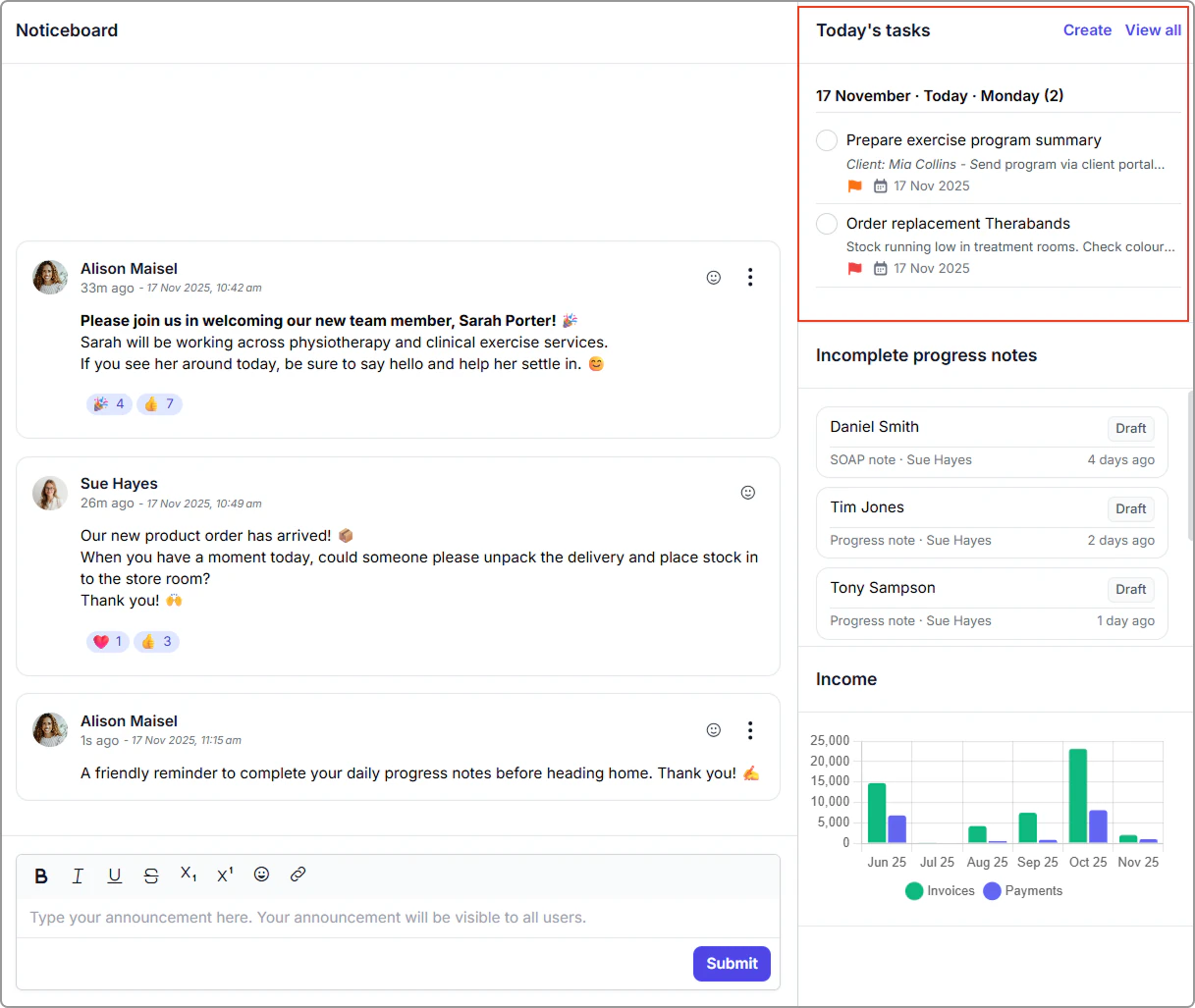
Dashboard snapshot
The Today’s tasks panel on the top-right side of your Dashboard shows:
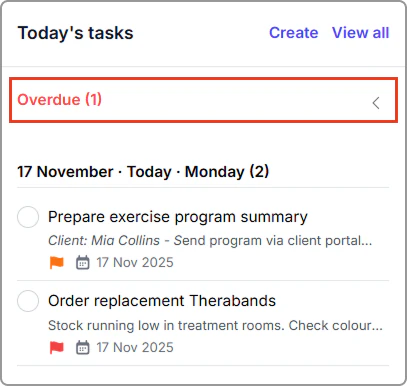
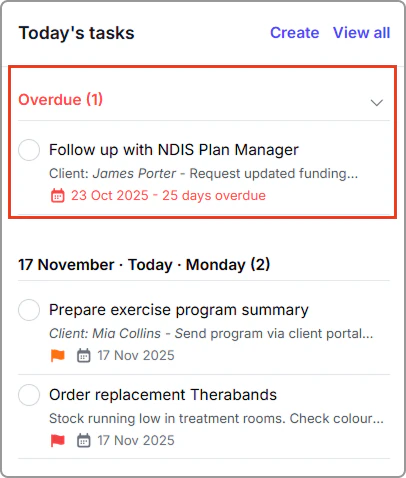
🔴 Overdue tasks
- Displayed at the top of your list.
- Shown in red with the number of days overdue.
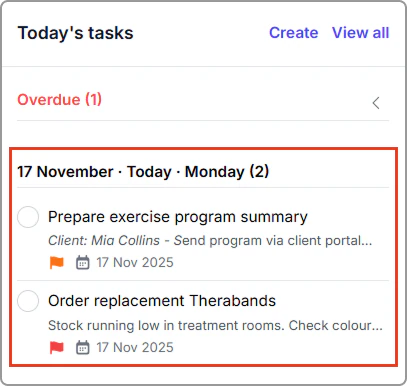
📅 Today’s tasks
- Tasks due today appear in your overview.
- Click View all to open the full Tasks page.
Mark a task as complete
To mark a task as completed from the Dashboard:
- Open your Dashboard.
- In the Today’s tasks panel, click the circle next to a task.
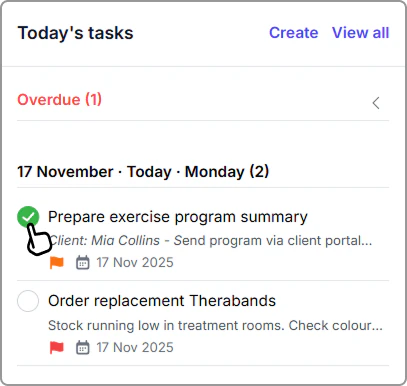
The task is removed from your Dashboard and moved into your Completed tab, which you can access from the Tasks page.
Open the full Tasks page
To manage all of your tasks, including future and unscheduled tasks:
- In the Today’s tasks panel, click Create or View all.
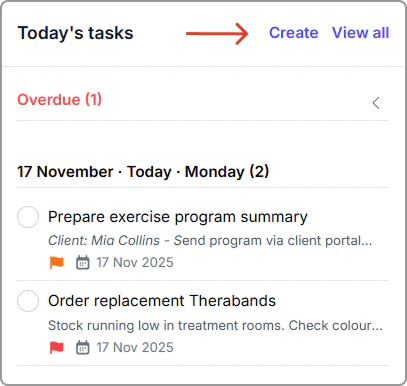
The full Tasks page will open.
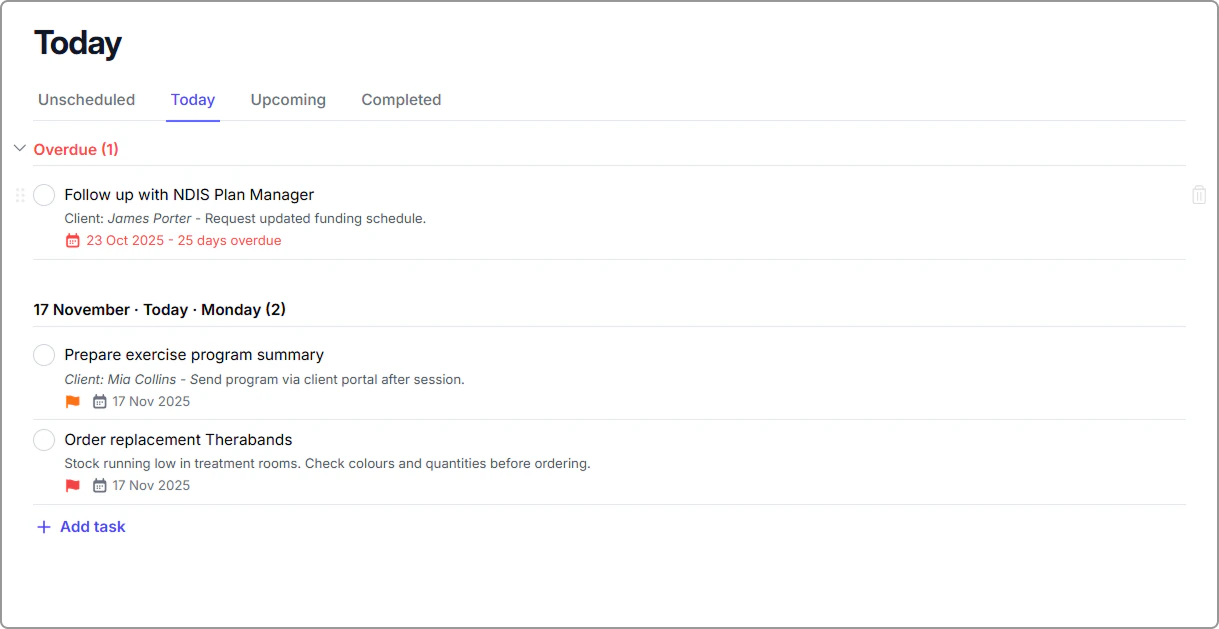
From the Tasks page, you can add new tasks, schedule work, prioritize, and view upcoming or completed tasks. To learn more, see Tasks.
Tip
Use Dashboard tasks for fast daily planning, and the full Tasks page when you need to organize or reschedule tasks in more detail.