Archive a contact
Learn how to archive and restore a contact in Caspen.
1 min readUpdated 8 months ago
Archive a Contact
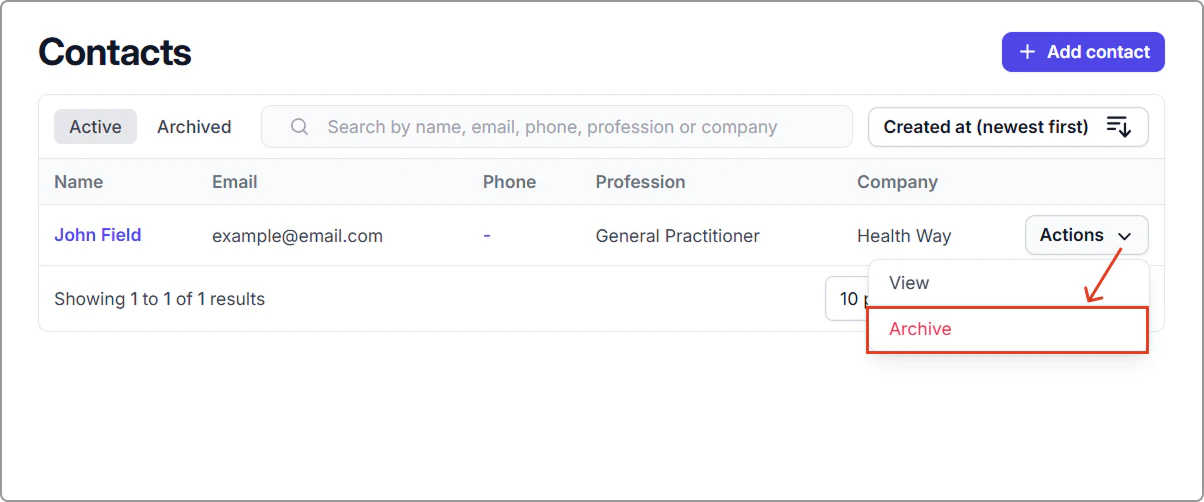
- Go to Contacts.
- Find the contact you want to archive and select Actions → Archive.
Result:
The contact moves to the Archived tab and is hidden from the Active list.
Restore an archived contact
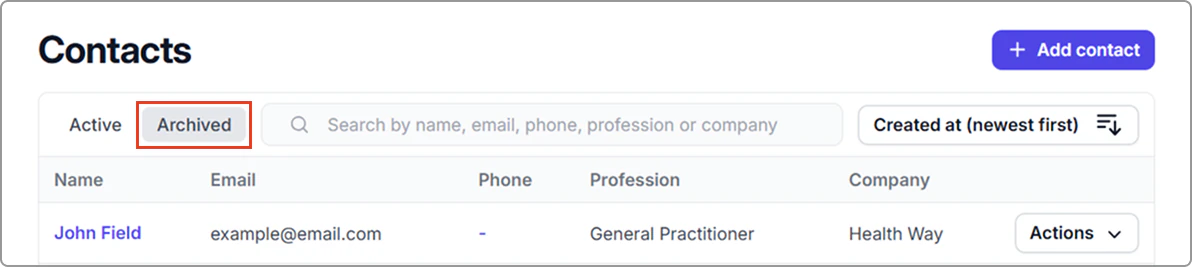
- Go to Contacts, click the Archived tab.
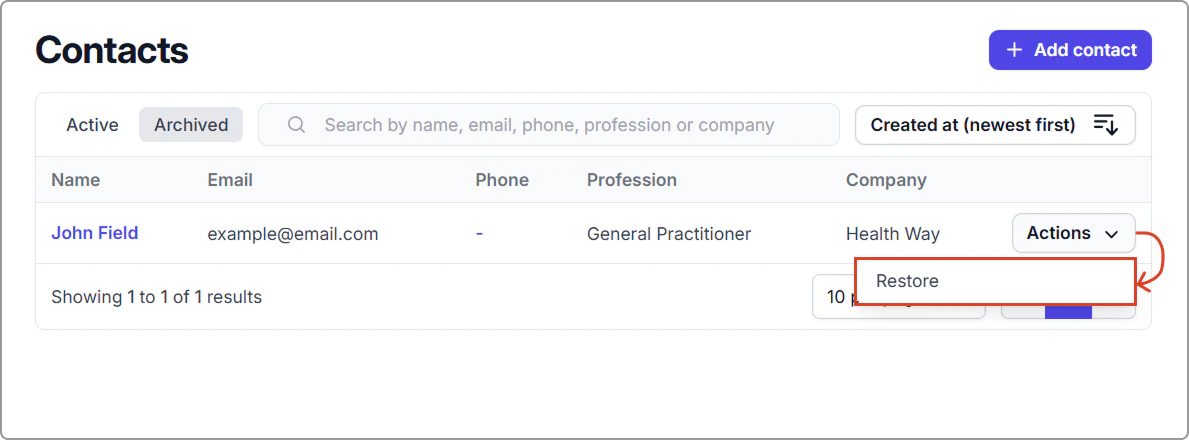
- Find the contact and select Actions → Restore.
Result:
The contact returns to the Active list. You can view the contact under the Active tab.