Add a message to the time selection page in online bookings
Show a notice about the date/time picker during online booking.
1 min readUpdated 10 months ago
Overview
Use the Time selection notice to display a short message or alert on the date/time step of your online booking flow.
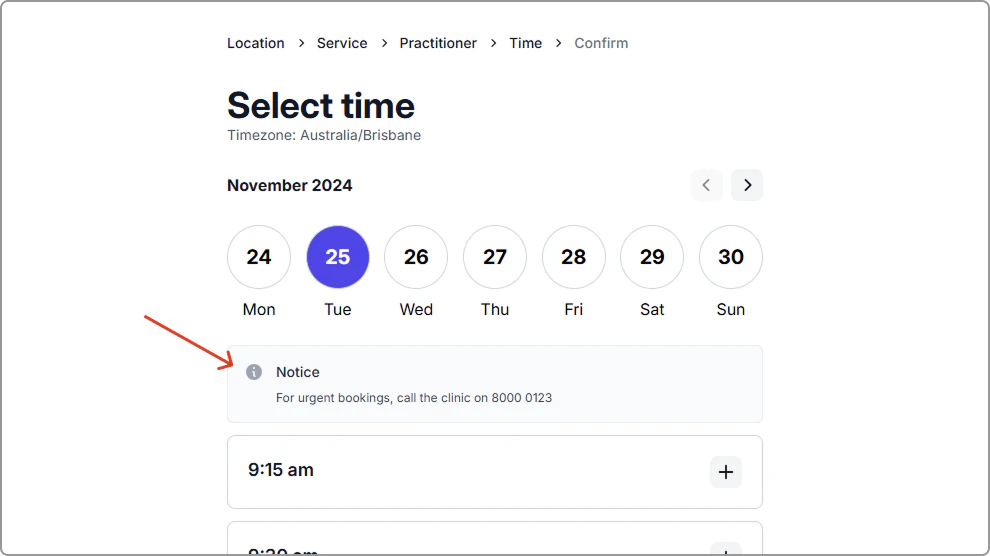
It appears above the time picker and highlights important information while clients choose an appointment slot (e.g., “For urgent bookings, call 8000 0123.”).
Add a message to the time selection page in online bookings
- Go to Settings → Online booking.
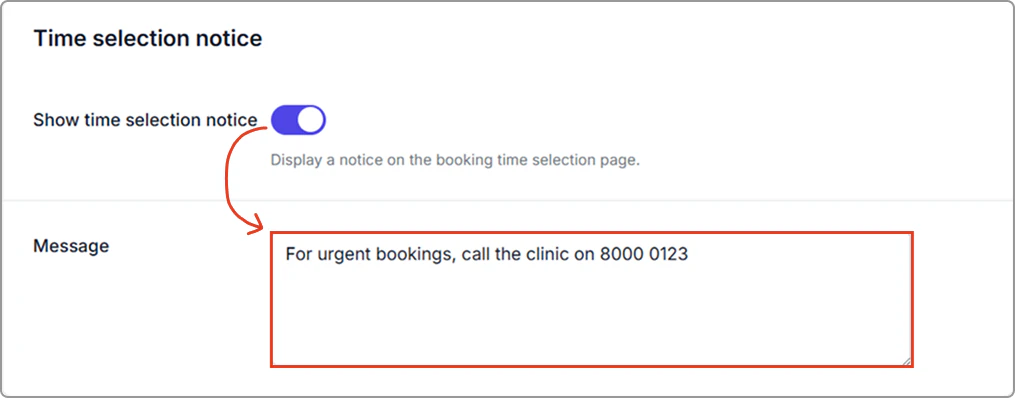
- In Notices, turn on Show time selection notice and in Message, enter your text.
- Click Save (top-right of the page).
Where it appears
Your message displays on the date/time selection page, above the time picker.
Related
Important notice: A separate banner shown at the top of all booking pages. See Show an important notice on every online booking page.