Set appointment lead time for online bookings
Control how much notice you need before an appointment and how far in advance clients can book online.
1 min readUpdated 10 months ago
Overview
Minimum lead time
Choose the minimum amount of notice your business requires before a client can book online. You can allow no notice if you prefer.
Example: If it’s 12 pm and your min lead time is 3 hours, the earliest bookable time is 3 pm.
Maximum lead time
Choose how far in advance clients are allowed to book from.
Example: If your max lead time is 3 months, clients can book any available time up to 3 months from today, but not beyond.
Set the minimum lead time
- Go to Settings → Online booking.
- Find Min lead time and choose the minimum notice period.
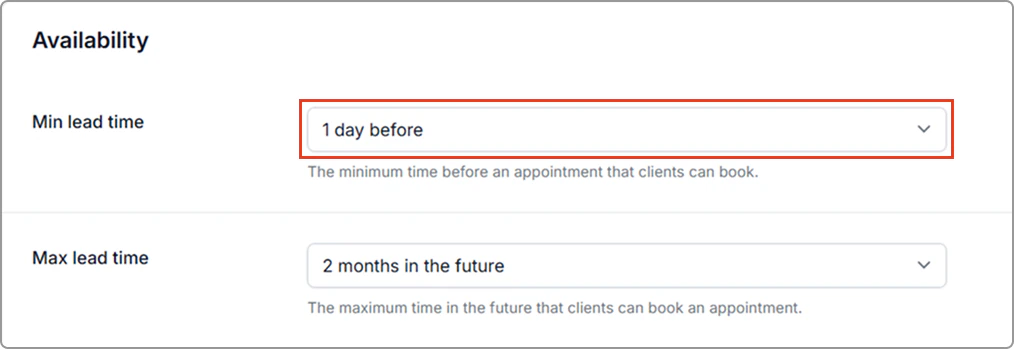
- Click Save (top-right of the page).
Set the maximum lead time (how far in advance clients can book)
- Go to Settings → Online booking.
- Find Max lead time and choose how far in advance clients can book.
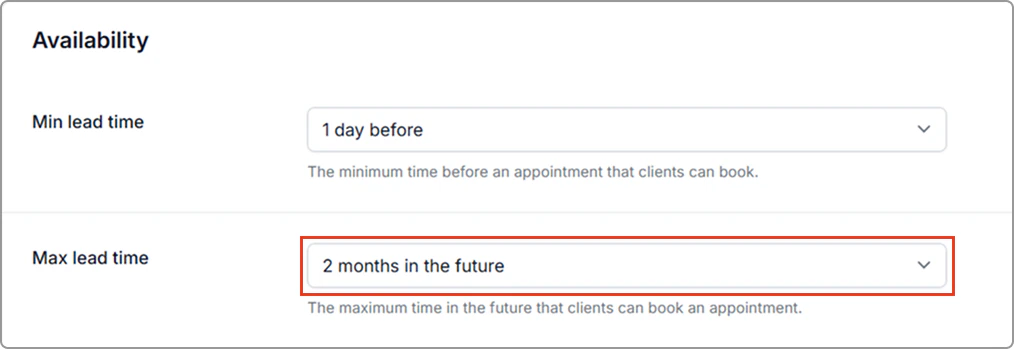
- Click Save (top-right of the page).
Info
Note: You can adjust these settings at any time and the updates take effect immediately.