Take a deposit or full payment for online bookings
Collect full payment or a deposits when clients book an appointment online.
2 min readUpdated 8 months ago
Before you begin
Caspen uses the Stripe integration to process online card payments.
You can collect payments at the time of booking. Either a deposit or the full appointment amount.
Warning
To enable this, Stripe must be connected.
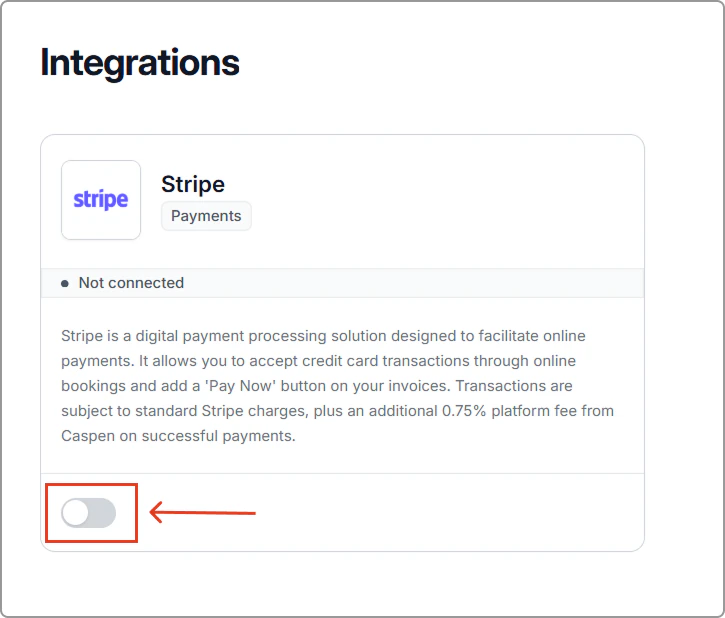
Go to Settings → Integrations → Stripe → Connect.
How to set up online booking payments
- Go to Settings → Online booking.
- Under Payment, click Connect Stripe (if not already connected). Caspen uses Stripe to process card payments securely.
If Stripe is already connected, skip to Step 5.
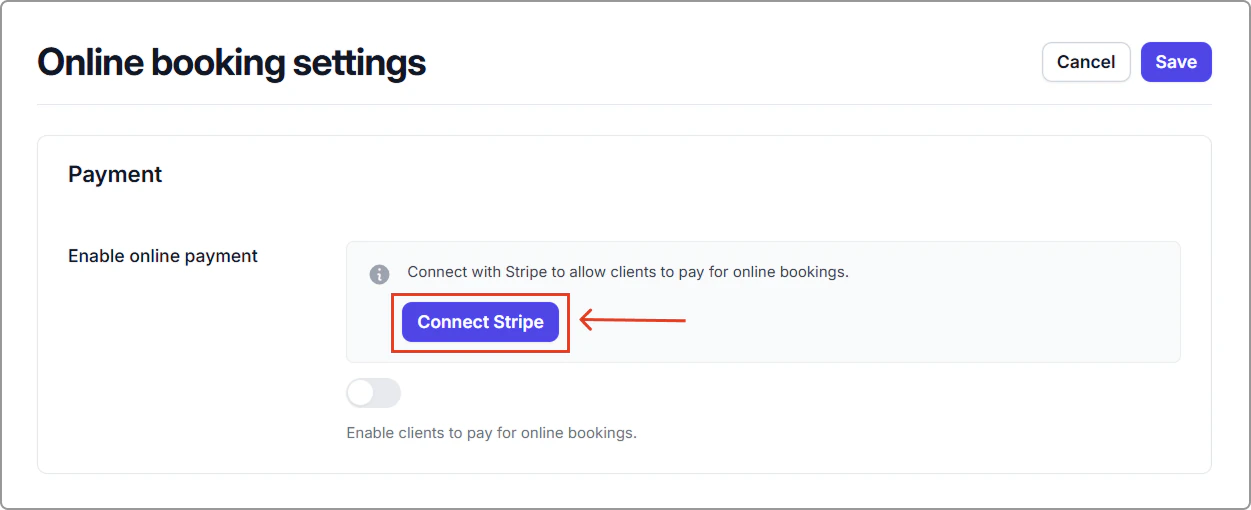
- This opens the Integrations page.
Find Stripe, toggle it on, and follow the prompts to connect your account.
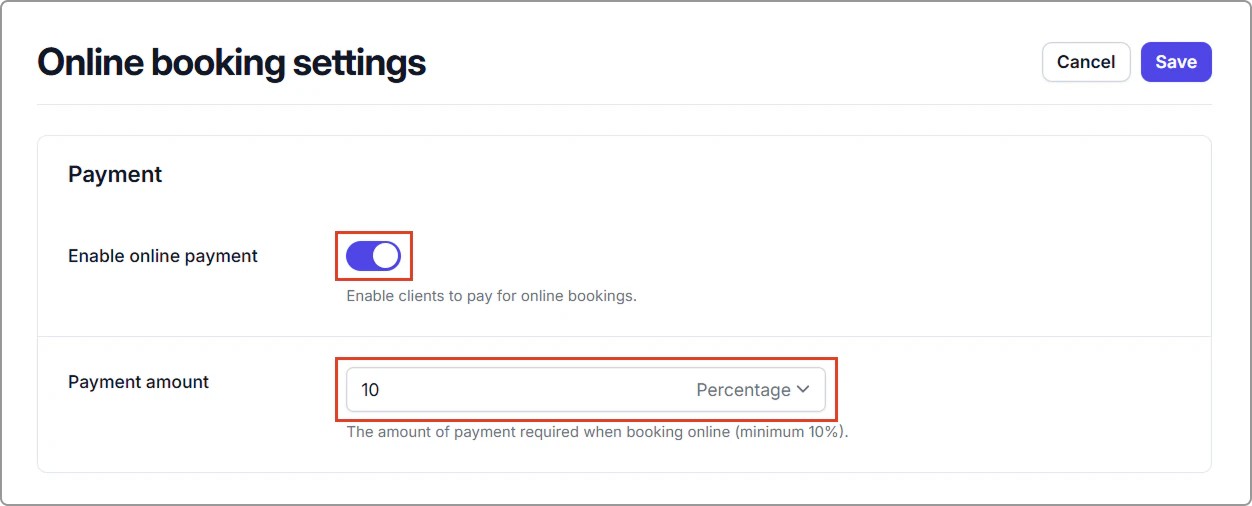
- Once Stripe is connected, return to Settings → Online booking.
- Under Payment, turn on Enable online payment and set Payment amount as a percentage (Minimum 10%).
Info
To take full payment: choose Percentage and set it to 100%.
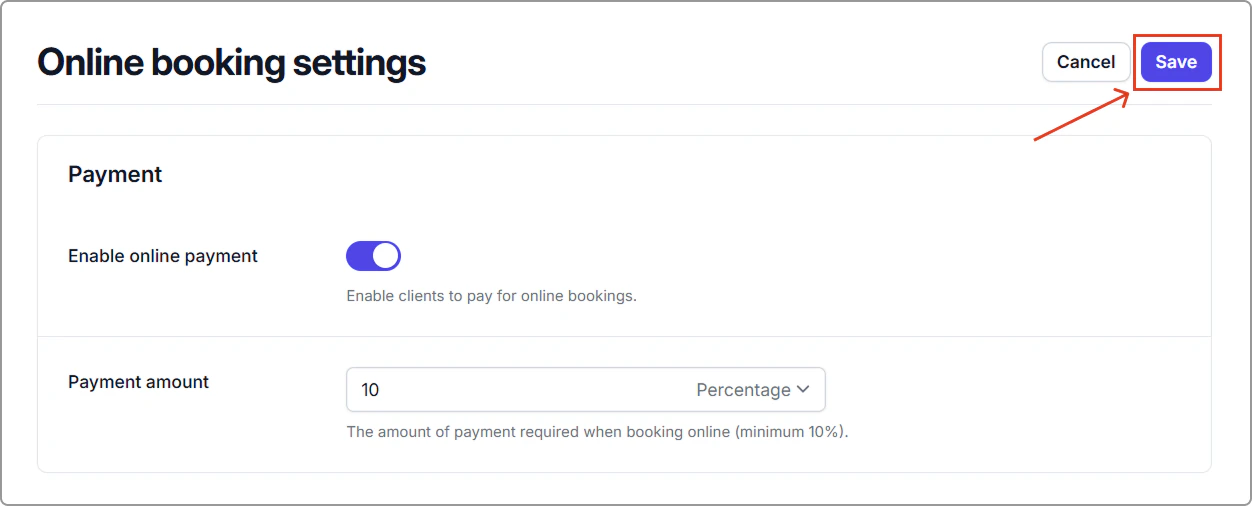
- Click Save in the top-right corner.
Tips
- Clarify refunds or forfeits in your Cancellation policy and Terms.
- Test a booking to confirm the payment section appears on the Confirm appointment page before clients complete their booking.