Team noticeboard
Keep your team connected and up-to-date with announcements, updates, and shared notes all in one place.
Overview
The Team Noticeboard is your shared communication space for important updates, reminders, and general messages.
It replaces scattered emails and sticky notes with a central feed where every team member can see what’s new and react in real time.
You can:
- Post announcements visible to all users.
- React with emojis for quick feedback.
- Flag or edit posts.
- Archive messages you no longer need.
How to post on the Noticeboard
- Go to Dashboard → Noticeboard section.
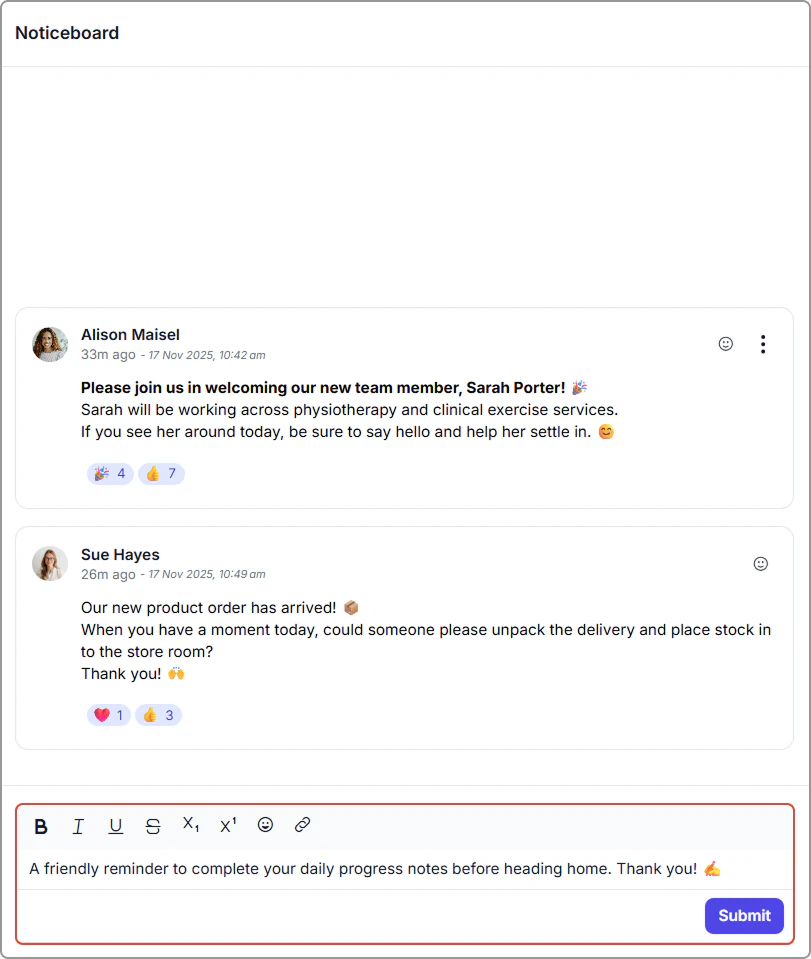
- Type your announcement in the text box at the bottom.
Use the toolbar to format your text (bold, italic, etc.).
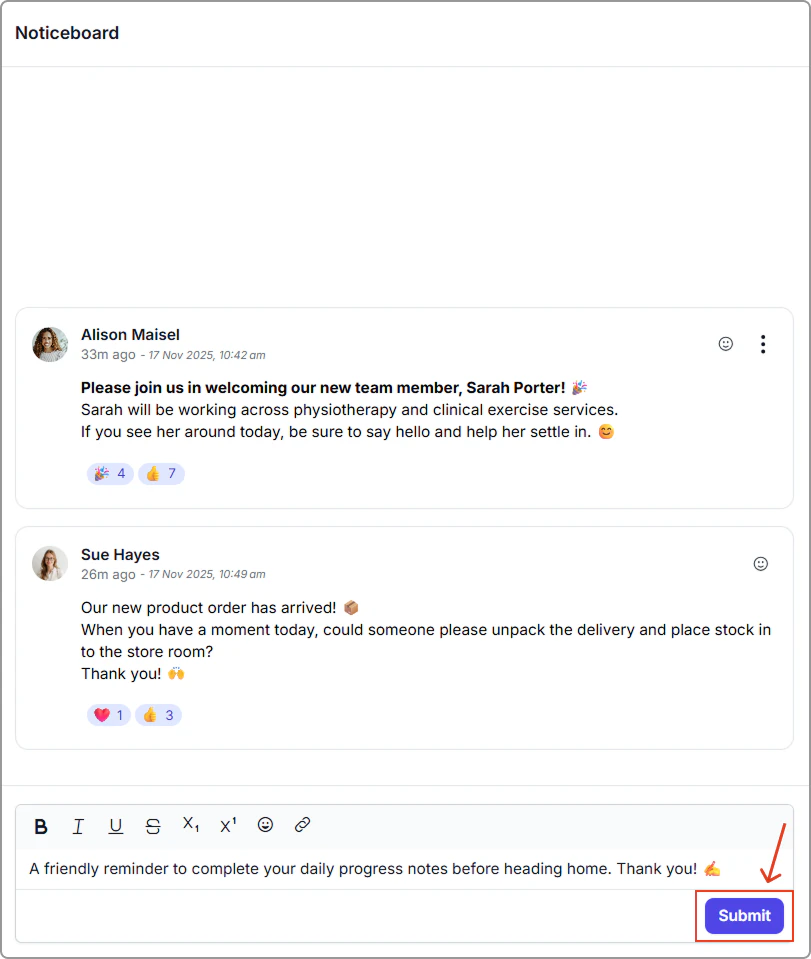
- Click Submit to post your announcement.
It will appear immediately on the noticeboard for all users.
How to manage posts
You can edit, flag, react to, and archive posts to keep your Noticeboard organized and useful.
Post actions
- Edit: Update the message content.
- Flag: Mark an important post for quick reference.
- React: Respond with emojis for quick feedback.
- Archive: Remove posts you no longer need. Archived posts disappear from the main feed.
Edit, flag or archive a post
To manage a post:
- Click the three dots on the post.
- Select Flag, Edit or Archive.
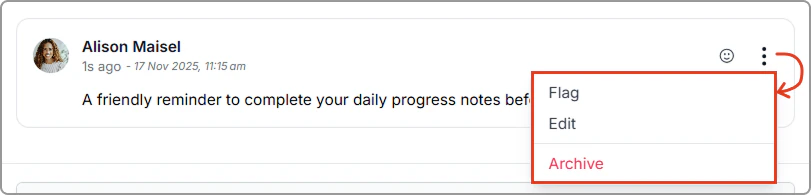
More options menu showing Flag, Edit and Archive.
React with emojis
Use emoji reactions to quickly acknowledge updates, celebrate wins, or respond without interrupting your workflow.
Emoji reactions are perfect for remote and busy teams. A quick thumbs-up can let someone know you have seen their update.
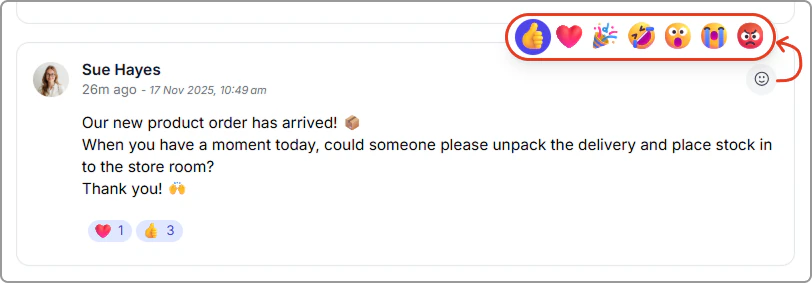
Emoji reactions available on a Noticeboard post.