> For the complete documentation index, see [llms.txt](https://support.caspen.com/llms.txt). Markdown versions of documentation pages are available by appending `.md` to page URLs; this page is available as [Markdown](https://support.caspen.com/using-caspen/billing/invoices/invoice-for-a-canceled-appointment.md).
# Invoice for a canceled appointment
Invoice a client for a canceled appointment based on your cancellation policy.
## How to invoice a canceled appointment
To learn how to cancel an appointment, see [Cancel an appointment](/using-caspen/calendar/appointments/cancel-an-appointment.md).
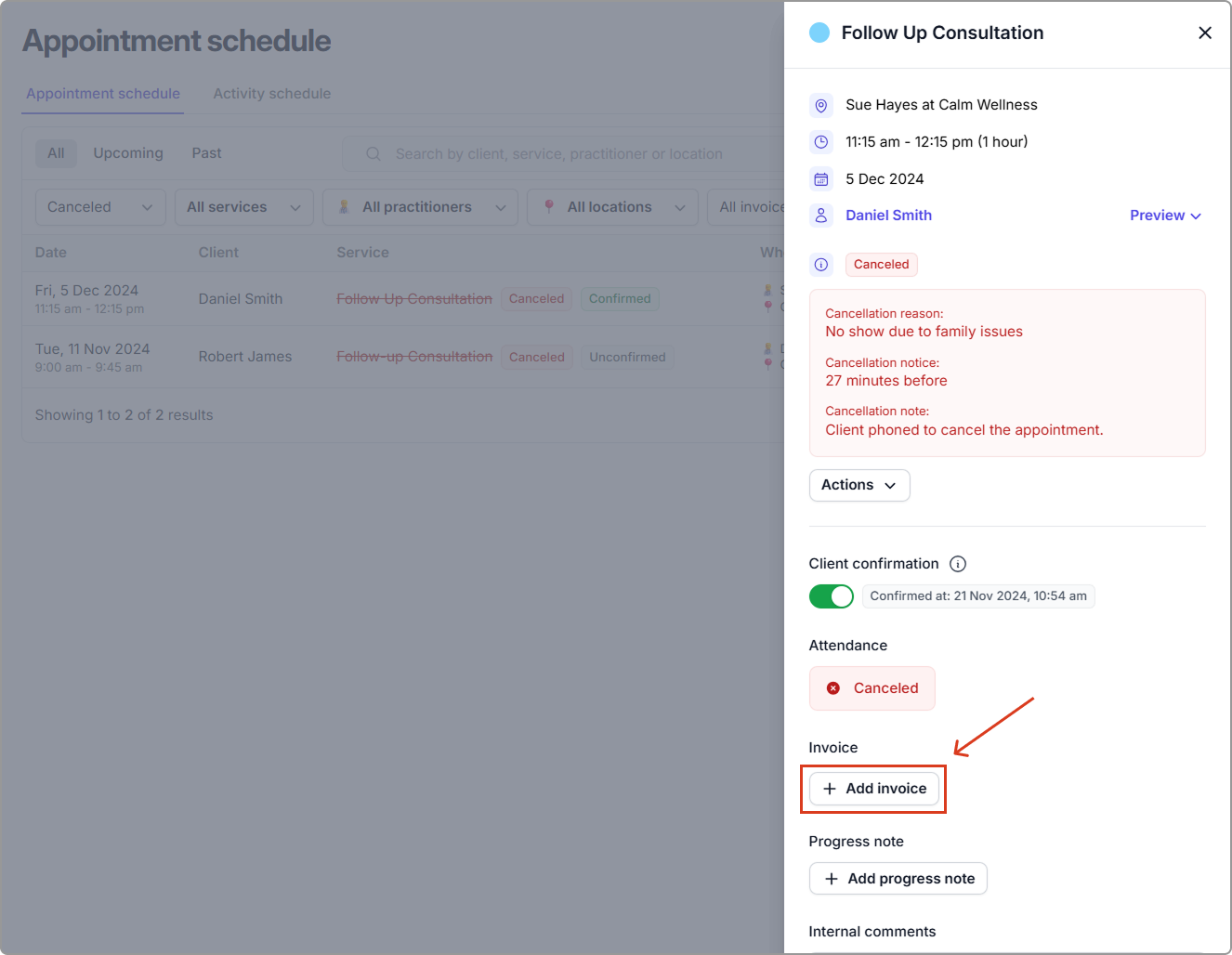
You can create an invoice for a canceled appointment if the service still needs to be billed (for example, for late cancellation fees).
1. Go to the **Schedule** tab.
2. In the appointment list, set the **Status** filter to **Canceled**, and apply any additional filters or search terms if needed.
3. Locate the canceled appointment and click **View** to open the appointment information side panel.
4. Click **Add invoice** and follow the steps to create your invoice.